
AI tools are everywhere today.
You’ve probably watched videos where someone builds a full website in minutes using AI. A few prompts, a few clicks, and suddenly a complete business website appears.
It looks easy.
But almost everyone watching those videos is thinking the same thing.
How do you actually make money with AI websites?
Creating a site is simple. Turning it into a real online business with recurring income is where most beginners get stuck.
That’s where the Hostinger AI Website Builder becomes interesting.
Instead of just helping you build a website, it gives you the tools to create, host, manage, and maintain multiple websites for clients from one place.
This means you can turn simple AI websites into a service business that charges setup fees and monthly maintenance payments.
In this guide, you’ll learn how the Hostinger AI Website Builder works, why it’s beginner-friendly, and how it can help you create a scalable website business.
What Is Hostinger Horizons AI Website Builder?
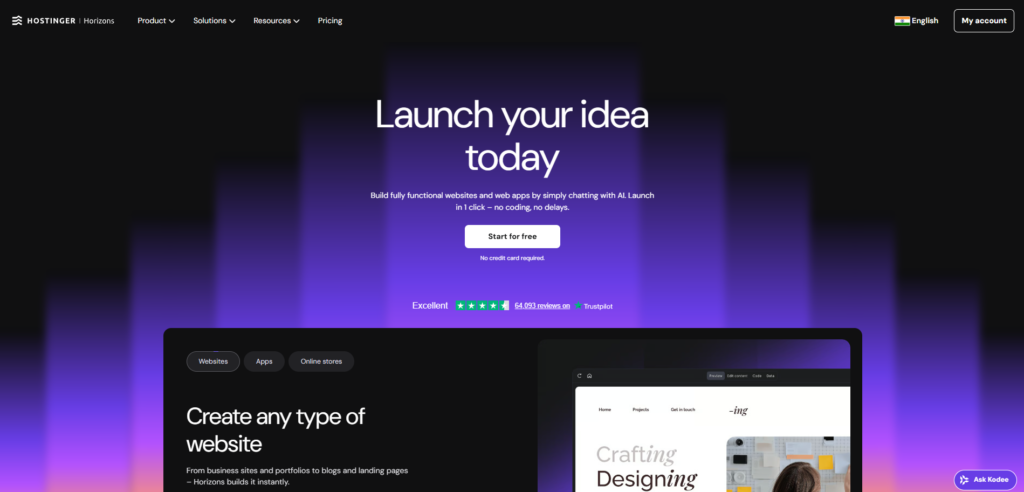
The Hostinger AI Website Builder is an all-in-one platform that lets you create professional websites using artificial intelligence.
Instead of designing everything manually, you simply describe the website you want.
For example:
- “Create a property management website”
- “Make a website for a dental clinic”
- “Build a contractor services website”
The AI automatically generates:
- A full website layout
- Content sections
- Images and design structure
- Mobile-friendly pages
- Basic SEO structure
But the real value comes from the complete ecosystem around it.
With Hostinger you can also:
- Host the website
- Connect domains
- Manage multiple client sites
- Monitor performance
- Maintain websites easily
This makes it a powerful solution if you want to offer website services to businesses.
👉 Get Started with Hostinger AI Website Builder
Who Should Use Hostinger AI Website Builder?
This tool works best for people who want to build websites quickly without complex coding.
It is especially useful for:
- Freelancers offering website services
- Beginners starting a web design business
- Agencies managing multiple client websites
- Entrepreneurs building websites for local businesses
- Marketers creating lead generation websites
Many small businesses need websites but don’t want to build them themselves.
Examples include:
- Contractors
- Real estate agents
- Property managers
- Insurance advisors
- Medical clinics
These businesses often care more about results and simplicity than technical details.
A clean, professional website is often enough to win their business.
However, this tool may not be ideal for people who want deep custom development or complex coding frameworks.
It focuses on speed, simplicity, and automation.
Top Features of Hostinger AI Website Builder
1. AI Website Generation
The biggest feature is the AI website generator.
You simply describe the type of website you want.
The AI then creates:
- Layout
- Images
- Sections
- Text content
- Contact forms
This allows you to build a full website in minutes instead of hours.
For beginners, this removes the biggest barrier to entry.
2. Built-In Hosting
Many website builders require separate hosting.
Hostinger combines everything in one place.
You can:
- Host client websites
- Manage files and settings
- Maintain website performance
This makes it much easier to manage multiple websites.
3. Multiple Website Management
If you want to build websites for clients, this feature is extremely useful.
One account can manage many websites from a single dashboard.
That means you can:
- Create websites quickly
- Maintain client projects
- Scale your website business easily
4. Domain and DNS Management
Hostinger makes domain management simple.
You can:
- Connect existing domains
- Register new domains
- Update name servers
- Manage DNS records
This is important when launching client websites.
5. AI Editing and Content Updates
The platform also allows you to edit content using AI.
You can update:
- Page sections
- Images
- Text content
- Layout structure
This allows you to customize websites for each client without starting from scratch.
6. Backup and Security Features
Websites require protection and backups.
Hostinger includes:
- Automatic backups
- Security tools
- Website monitoring options
This ensures your client websites remain safe and stable.
7. SEO-Friendly Website Structure
The AI builder automatically creates pages with a basic SEO structure.
This includes:
- Proper page sections
- Headings
- Content blocks
- Mobile responsiveness
For small business websites, this foundation is often enough to start generating traffic.
👉 Explore Hostinger AI Website Builder
Key Benefits of Using Hostinger AI Website Builder
The features are useful, but what really matters are the outcomes.
Here’s how the Hostinger AI Website Builder helps users in practical ways.
Save Time
Traditional website design can take hours or days.
AI allows you to generate a website structure in minutes.
This means you can build more websites in less time.
Create a Website Business Faster
If you want to sell websites to local businesses, speed matters.
With AI you can create demo websites for potential clients quickly.
You can literally show them what their website could look like.
Many clients say yes when they see a real example.
Generate Recurring Monthly Revenue
Most website services include monthly fees for:
- Hosting
- Maintenance
- Updates
- Monitoring
This creates predictable monthly income.
Instead of a one-time project, you build a long-term revenue stream.
You can easily start building these websites by using Hostinger AI Website Builder and offering website services to small businesses.
Reduce Technical Complexity
Beginners often struggle with:
- Coding
- Servers
- Website infrastructure
Hostinger simplifies these tasks.
You can focus more on client relationships and growth rather than technical setup.
Real-World Example: Turning AI Websites Into a Business
Imagine someone named Alex who wants to start an online business.
Before
Alex has no coding experience.
He sees many small businesses with outdated websites.
But building websites manually would take too long.
After
Alex starts using the Hostinger AI Website Builder.
He creates demo websites for:
- Local contractors
- Real estate agents
- Property managers
Each demo takes about 10–20 minutes to build.
Result
Alex starts offering packages like:
- $300 setup fee
- $40 monthly maintenance
With just 10 clients, Alex earns:
- $3,000 setup revenue
- $400 monthly recurring income
As more clients join, the monthly income grows steadily.
This is how many small web agencies start today.
Pricing and Plans
Hostinger offers several plans designed for different users.
Prices may change over time, so it’s best to check the latest details.
| Plan | Best For | Key Inclusions | Value Summary |
|---|---|---|---|
| Starter | Beginners and small projects | AI website builder, hosting, basic features | Great entry point for testing the platform |
| Business | Freelancers and small agencies | More resources, ability to host multiple websites | Ideal for building client websites |
| Cloud Startup | Growing agencies | Higher performance and scalability | Best for managing many client websites |
Most beginners start with the starter or business plan.
They offer enough power to run multiple small business websites.
👉 Try Hostinger AI Website Builder Today
Pros and Cons
| Pros | Cons |
|---|---|
| AI builds websites extremely quickly | Custom coding options are limited because the platform focuses on simplicity |
| Hosting and website builder in one platform | Advanced developers may prefer more control |
| Easy to create demo sites for potential clients | Design flexibility is structured to keep things simple |
| Beginner-friendly interface | Large enterprise websites may require more advanced platforms |
| Ideal for recurring client website services | Some advanced integrations may require external tools |
Most of these trade-offs exist because the platform focuses on speed and simplicity rather than complex development.
Hostinger vs Other Website Builders
Several AI website builders exist today.
Each has different strengths.
Hostinger vs Wix
Wix offers many design options and templates.
However, Hostinger focuses more on speed, hosting integration, and simplicity.
For beginners starting a website service business, Hostinger can feel easier.
Hostinger vs WordPress
WordPress offers deep customization and flexibility.
But it often requires:
- Plugins
- Hosting configuration
- Technical knowledge
Hostinger simplifies these steps with built-in tools and AI automation.
Hostinger vs Squarespace
Squarespace is known for beautiful design templates.
Hostinger, on the other hand, focuses more on AI generation and scalability for multiple websites.
Final Verdict
The Hostinger AI Website Builder is one of the simplest ways to start building websites with AI.
It removes many of the traditional barriers:
- No coding required
- Fast website generation
- Built-in hosting
- Easy domain management
For freelancers, beginners, and small agencies, it can be a powerful tool for launching a website service business with recurring income.
If your goal is to build websites quickly and offer them to small businesses, this platform provides a practical starting point.
👉 Get Started with Hostinger AI Website Builder
Starting is relatively low risk, especially if you want to test the idea of building websites for clients.
Even a few clients can turn this into a steady monthly income stream.
This article contains affiliate links. You can learn more by reading our affiliate disclosure here: https://solstleblog.com/affiliate-disclosure/
FAQs
1. Is Hostinger AI Website Builder good for beginners?
Yes. The platform is designed for beginners and requires no coding experience. The AI helps generate the website structure automatically.
2. Can I create websites for clients using Hostinger?
Yes. Many freelancers use Hostinger to build and manage websites for multiple clients from one dashboard.
3. How long does it take to build a website with AI?
A basic website can often be generated in just a few minutes, though customization may take longer.
4. Can I earn recurring income from websites?
Yes. Many web designers charge clients monthly fees for hosting, maintenance, and updates.
5. Do I need coding skills to use Hostinger?
No. The AI website builder handles most of the design and layout automatically, making it accessible to beginners.

Leave a Reply