Let’s be honest , your inbox is probably a mess right now.
Between endless newsletters you never remember subscribing to, work emails that pile up faster than you can respond, and those “urgent” messages that aren’t actually urgent at all, email has become more of a burden than a productivity tool.
You spend hours each week just sorting through messages, trying to find what actually matters. And despite your best efforts, important emails still slip through the cracks while spam and clutter dominate your attention.
What if there was a smarter way to handle email one that didn’t require you to become a productivity guru or waste time creating complex filters?
That’s exactly what SaneBox promises to deliver. This intelligent email management tool uses AI to automatically organize your inbox, filter out distractions, and help you focus on what truly matters. In this comprehensive review, we’ll explore everything you need to know about SaneBox, from its powerful features to its pricing structure, so you can decide if it’s the right solution for your email chaos.
What Is SaneBox? (The Simple Explanation)
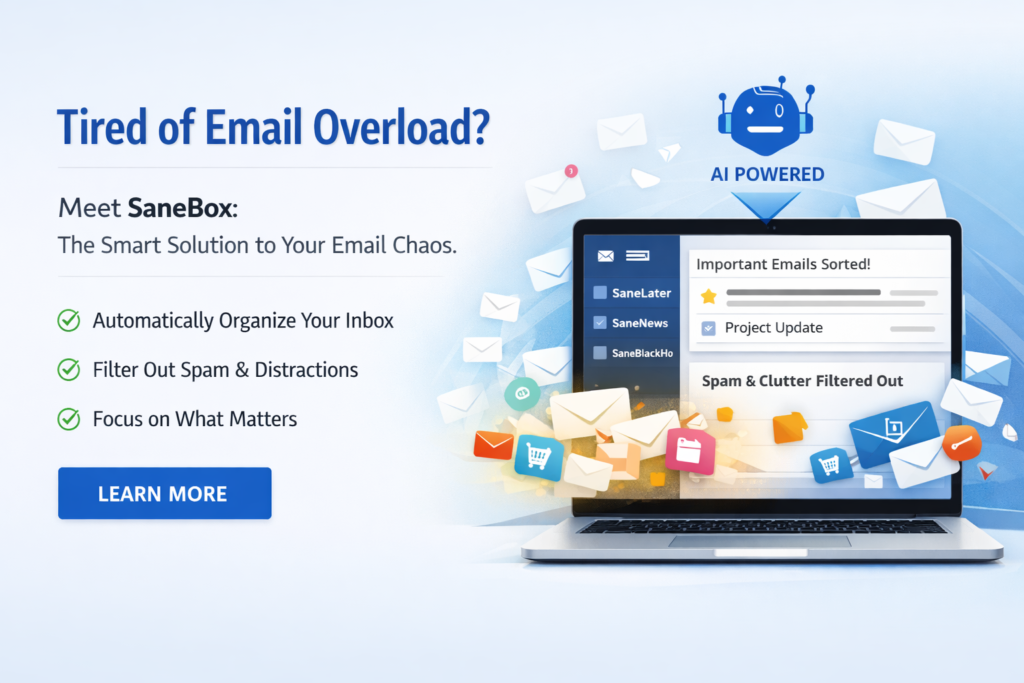
SaneBox is an intelligent email management service that works with any email provider to automatically organize your inbox using artificial intelligence.
Think of it as a smart assistant that learns your email habits and priorities, then takes action on your behalf—without you having to lift a finger.
Here’s how it works in plain English:
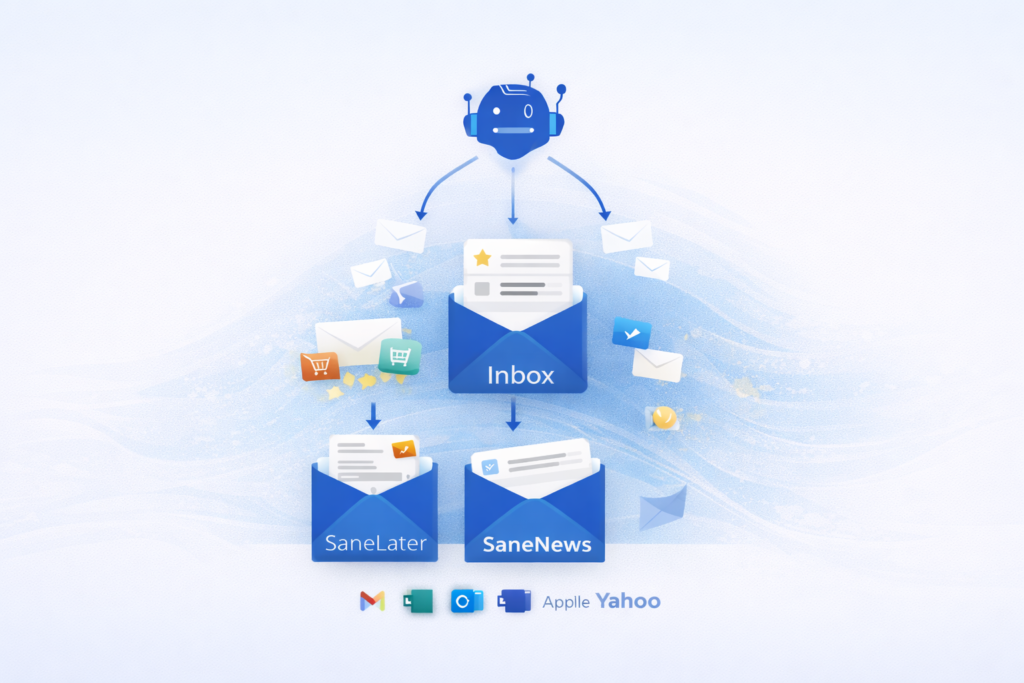
Once you connect SaneBox to your email account, it analyzes your email behavior patterns. It looks at which emails you open, which ones you reply to quickly, and which ones you ignore or delete. Based on this learning, SaneBox automatically sorts incoming messages into different folders.
The main folder you’ll notice is called SaneLater—this is where less important emails go. These might be newsletters, promotional messages, or emails from people you rarely engage with. They’re not deleted or blocked; they’re just moved out of your main inbox so you can review them when you have time.
Your primary inbox only shows emails SaneBox thinks are important based on your behavior. Over time, the system gets smarter and more accurate at predicting what you care about.
The beauty of SaneBox is that it works in the background. You don’t need to download software, learn a new email client, or change your workflow. It integrates with Gmail, Outlook, Apple Mail, Yahoo, and virtually any email service you already use.
Who Should Use SaneBox?
SaneBox is designed for anyone who receives more than 30-50 emails per day and feels overwhelmed by email management. Here’s who benefits most:
Ideal Users:
- Busy professionals who need to prioritize client and colleague emails over newsletters and promotions
- Entrepreneurs and business owners managing multiple email accounts and projects
- Remote workers who rely heavily on email communication and can’t afford to miss important messages
- Executive assistants who manage email for themselves and others
- Marketing professionals who subscribe to industry newsletters but don’t want them cluttering their primary inbox
- Anyone with email anxiety who feels stressed by unread message counts
- People who’ve tried other email tools but found them too complicated or time-consuming
Not Ideal For:
- People who receive fewer than 20 emails per day (you probably don’t need automation)
- Users who prefer complete manual control over every email decision
- Those looking for a free solution (SaneBox is a paid service with a trial period)
Top Features of SaneBox
1. Intelligent Email Filtering (SaneLater)
What it is: The core feature that automatically moves less important emails to a separate folder.
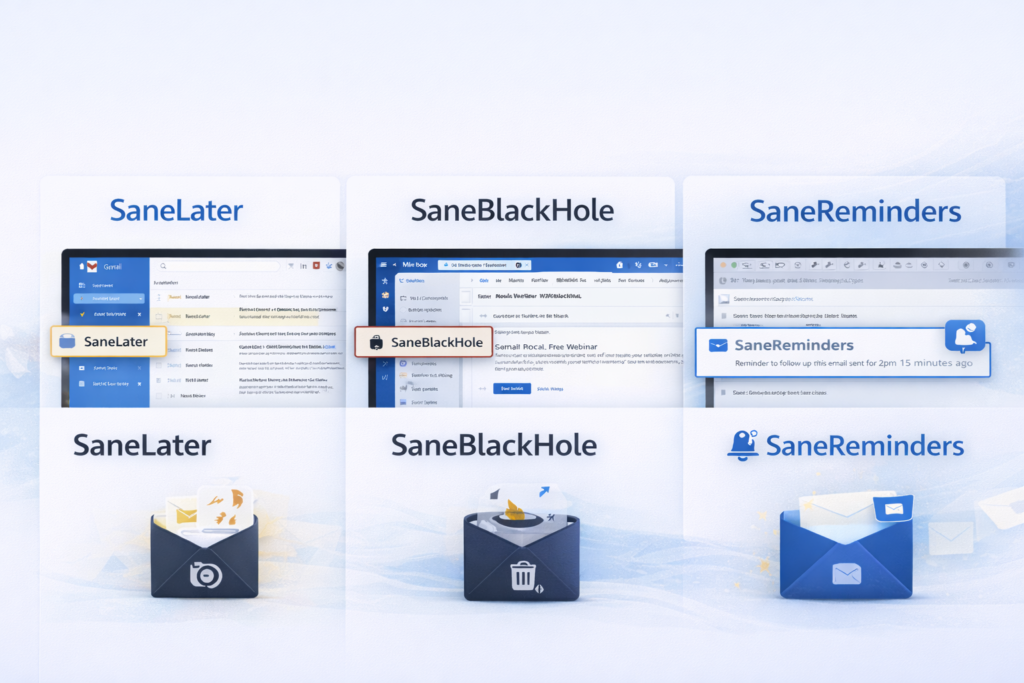
Why it matters: Instead of manually sorting through dozens of emails, SaneBox does the heavy lifting. You see only priority messages in your inbox.
Real benefit: Most users report saving 2-3 hours per week just from this feature alone. You can process your important emails faster and batch-review less urgent messages during downtime.
2. SaneBlackHole (Instant Unsubscribe)
What it is: Drag any email into the SaneBlackHole folder, and you’ll never see messages from that sender again.
Why it matters: Traditional unsubscribe processes are slow and don’t always work. SaneBlackHole is instant and foolproof.
Real benefit: Clean up years of subscription clutter in minutes, not hours. One user reported eliminating 40+ unwanted senders in their first week.
3. Email Reminders (SaneReminders)
What it is: Move an email to SaneReminders, and SaneBox will return it to your inbox at a specific time or date you choose.
Why it matters: Stop using your inbox as a to-do list. Important emails that require action later won’t get buried.
Real benefit: Perfect for following up on proposals, remembering deadlines, or bringing back information you’ll need for upcoming meetings.
4. Custom Folder Training
What it is: Create custom folders (like SaneNews for newsletters or SaneCC for emails where you’re just CC’d), and SaneBox learns to route similar emails there automatically.
Why it matters: Everyone’s email priorities are different. This feature adapts to your specific needs.
Real benefit: Build a personalized email organization system without creating complex manual filters.
5. Email Digest Summaries
What it is: Receive a daily or weekly summary of emails moved to your SaneLater and other folders, so you never miss anything important.
Why it matters: You stay in control without checking multiple folders throughout the day.
Real benefit: Quick scan of your digest ensures nothing falls through the cracks while maintaining inbox focus.
6. Deep Clean (Bulk Archiving)
What it is: Identify and bulk-archive old, unimportant emails based on sender, subject, or date.
Why it matters: Starting with a clean slate improves performance and reduces email anxiety.
Real benefit: Some users archive thousands of old emails in one session, transforming their email experience overnight.
7. Attachment and Screenshot Protection
What it is: SaneBox alerts you if you mention sending an attachment in your email but forget to attach it.
Why it matters: We’ve all sent that embarrassing “Here’s the attachment I forgot” follow-up email.
Real benefit: Saves you from professional embarrassment and reduces unnecessary back-and-forth.
How SaneBox Helps You Take Back Control
The real power of SaneBox isn’t just in its individual features—it’s in how these features combine to fundamentally transform your relationship with email.
Time-Saving: The average professional spends 28% of their workday on email, according to McKinsey research. SaneBox users typically reduce this by 30-40%, reclaiming 5-10 hours per week. That’s the equivalent of gaining an extra workday every week.
Reduced Stress: Email anxiety is real. The constant pressure of an overflowing inbox and fear of missing important messages creates chronic stress. By automatically filtering noise and organizing priorities, SaneBox removes this mental burden. You can actually achieve “inbox zero” without spending your entire day doing email triage.
Improved Productivity: When your inbox shows only what matters, you can make faster decisions. You’re not context-switching between important client emails and promotional newsletters. This focused attention means you respond to critical messages faster and with more thoughtful replies.
Better Work-Life Balance: SaneBox helps you batch-process less important emails during designated times rather than constantly checking throughout the day (and night). Many users report finally being able to disconnect from email during evenings and weekends without anxiety.
Ready to experience these benefits yourself? Try SaneBox with a free trial and see how much time you can save in your first week.
Real Use Cases: How People Actually Use SaneBox
Use Case 1: The Overwhelmed Entrepreneur
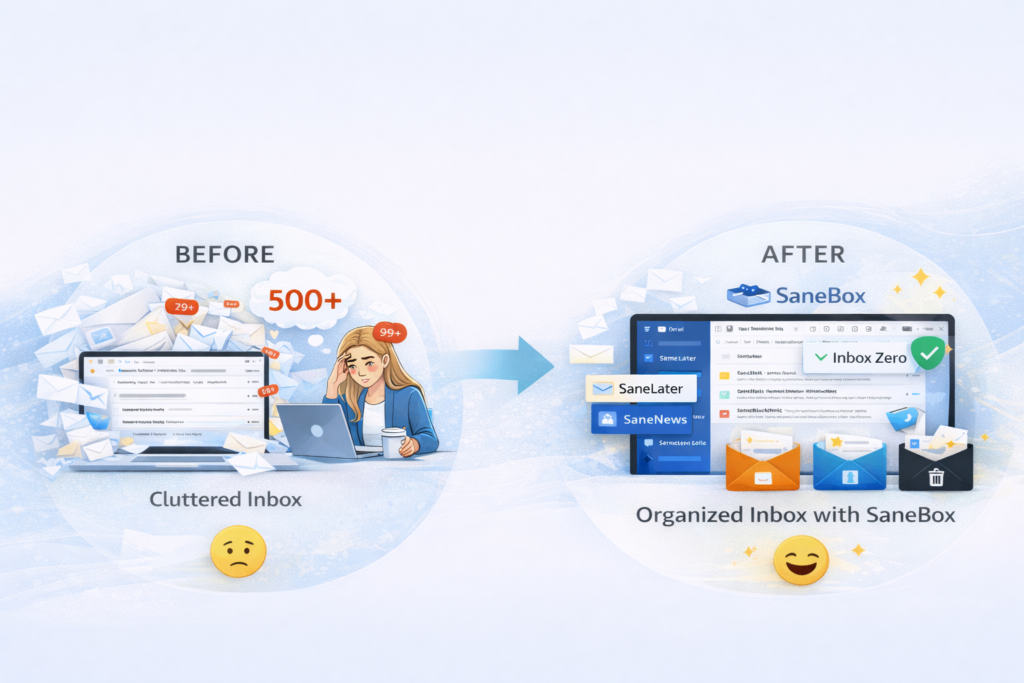
Before: Sarah, a small business owner, received 150+ emails daily across three accounts. She spent 3-4 hours each day just managing email, often missing client requests buried under newsletters and notifications.
After: With SaneBox, promotional emails and newsletters automatically route to SaneLater. Client and partner emails stay in her inbox. Her email processing time dropped to 45 minutes daily.
Result: Sarah recovered 2-3 hours daily for actual business development and reported no missed client emails in six months.
Use Case 2: The Executive with Multiple Priorities
Before: Marcus, a VP at a tech company, struggled to separate urgent team emails from industry news and internal announcements. He felt like he was always in reactive mode.
After: He created custom folders—SaneTeam for direct reports, SaneNews for industry updates, and SaneCC for emails where he was just copied. SaneBox learned his patterns within two weeks.
Result: Marcus now processes urgent team matters immediately while batching industry news for Friday afternoons. His response time to critical issues improved by 60%.
Use Case 3: The Newsletter Subscriber
Before: Jennifer subscribed to 30+ marketing and design newsletters for professional development but never had time to read them. They cluttered her inbox, and she felt guilty deleting them unread.
After: All newsletters automatically route to SaneNews. She receives a weekly digest and reads them on Sunday mornings over coffee.
Result: Jennifer actually reads the content she subscribed to without it interfering with daily work. She’s learned more in six months than in the previous two years.
Use Case 4: The Remote Worker Managing Multiple Projects
Before: David worked remotely on four different client projects, each with different communication patterns. His inbox was chaos, and he worried about missing deadlines.
After: He set up custom folders for each client and uses SaneReminders to bring emails back when action is needed. Project emails automatically sort, and nothing falls through the cracks.
Result: David maintains perfect response rates across all projects while working fewer evening hours.
Use Case 5: The Email Anxiety Sufferer
Before: Lisa experienced genuine anxiety seeing 500+ unread emails. She avoided opening her email app, which made the problem worse.
After: She used SaneBox’s Deep Clean to archive 5,000+ old emails in bulk. Now, only priority emails hit her inbox, and she maintains inbox zero daily.
Result: Lisa’s email-related stress dropped dramatically. She actually looks forward to checking email because it’s manageable.
Pricing & Plans: What Does SaneBox Cost?
SaneBox offers several pricing tiers based on how many email accounts you need to manage and which features you want access to.
Snack Plan (Starting around $7/month when billed annually)
- Best for: Individual users with one email account
- Includes: Core filtering, SaneLater, SaneBlackHole, basic features
- Email accounts: 1
Lunch Plan (Starting around $12/month when billed annually)
- Best for: Power users or those with multiple accounts
- Includes: Everything in Snack, plus SaneReminders, attachments, more folders
- Email accounts: 2
Dinner Plan (Starting around $36/month when billed annually)
- Best for: Heavy users, executives, or those managing email for others
- Includes: All features, unlimited folders, priority support
- Email accounts: 4+
Free Trial: SaneBox offers a 14-day free trial (no credit card required initially), so you can test the service risk-free before committing.
Money-Back Guarantee: If you’re not satisfied within the first 30 days after paying, SaneBox offers a full refund.
Pricing Philosophy: While SaneBox isn’t free, consider the value proposition: if you save even 5 hours per week, that’s 20+ hours monthly. For most professionals, that time is worth far more than $7-$36 per month.
The annual billing option typically saves you 20-30% compared to monthly billing, making it the better choice if you’re confident in the service after your trial.
Want to test SaneBox risk-free? Start your 14-day free trial here and experience automated email management firsthand.
Pros & Cons: The Honest Assessment
Pros:
✅ Works with any email provider – Unlike some tools that force you to switch email clients, SaneBox integrates with Gmail, Outlook, Apple Mail, Yahoo, and more. You keep using your preferred email interface.
✅ Incredibly accurate AI learning – After a brief training period (usually 1-2 weeks), SaneBox becomes remarkably accurate at predicting email importance. Most users report 95%+ accuracy.
✅ Set-it-and-forget-it automation – Once configured, SaneBox works silently in the background. You don’t need to constantly adjust settings or micromanage the system.
✅ Significant time savings – The average user saves 2-3 hours per week on email management. For busy professionals, this ROI alone justifies the cost.
✅ Reduces email stress and anxiety – By filtering noise and organizing priorities, SaneBox removes the psychological burden of inbox overwhelm.
✅ Highly customizable – Create unlimited custom folders, set your own rules, and train the system to match your unique workflow.
✅ Regular feature updates – SaneBox continuously improves with new features and refinements based on user feedback.
✅ Privacy-focused – SaneBox doesn’t read your email content; it only analyzes metadata (sender, subject, your actions) to make filtering decisions.
Cons:
❌ Not free (but worth the investment) – Because SaneBox focuses on providing a premium, reliable service with continuous AI improvements and dedicated support, it requires a paid subscription. However, the time saved typically provides ROI within the first month for professionals billing $30+ per hour.
❌ Initial learning period required – Since SaneBox personalizes filtering based on your email behavior, it takes 1-2 weeks to reach peak accuracy. This is because the AI focuses on providing a truly customized experience rather than generic one-size-fits-all filtering.
❌ May require occasional training corrections – Because SaneBox adapts to your evolving email patterns and contacts, you might occasionally need to move a misclassified email back to your inbox. However, each correction makes the system smarter and more accurate for future emails.
SaneBox vs Alternatives: How Does It Compare?
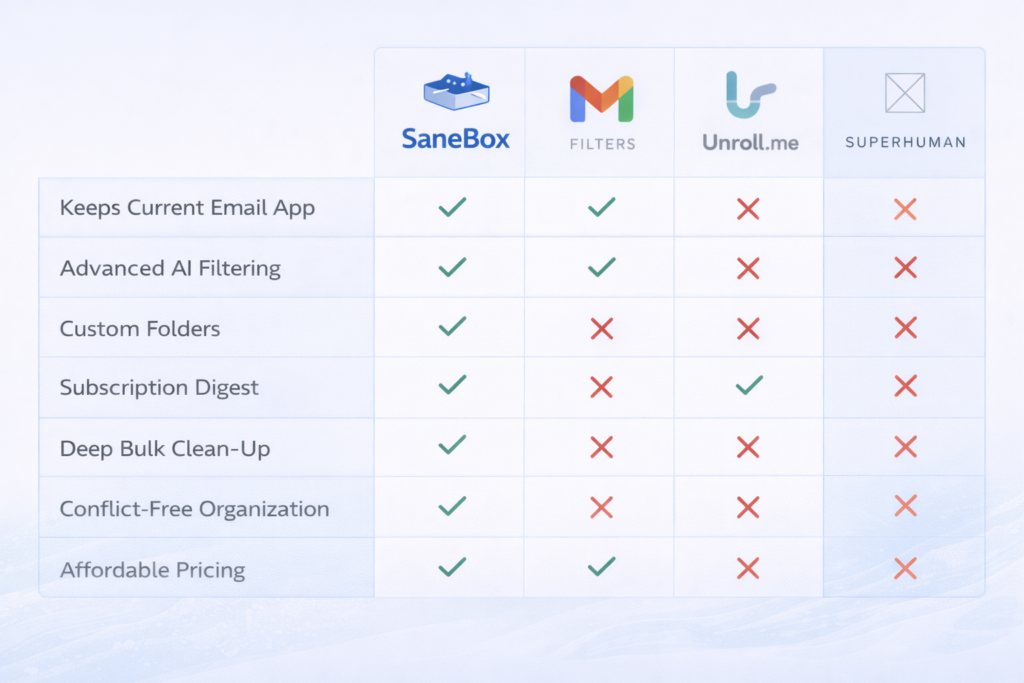
SaneBox vs. Gmail’s Built-in Filters
Gmail’s filters are free and work well for basic rules (like “move all emails from X to folder Y”). However, they require manual setup for each rule, don’t learn from your behavior, and can’t adapt to new senders automatically.
SaneBox wins when: You want intelligent, adaptive filtering that improves over time without manual rule creation. Best for people who receive emails from constantly changing contacts.
SaneBox vs. Unroll.me
Unroll.me focuses specifically on newsletter management, letting you bulk unsubscribe and create daily digest emails. It’s simpler but less comprehensive.
SaneBox wins when: You need broader email organization beyond just newsletters. SaneBox handles all types of email (newsletters, promotions, work emails, CC’s) and offers more advanced features like reminders and custom folders.
SaneBox vs. Superhuman
Superhuman is a complete email client replacement that costs $30/month and focuses on speed and keyboard shortcuts for power users.
SaneBox wins when: You like your current email client and just want better organization. SaneBox is also more affordable ($7-$12 for most users) and works across all devices without requiring a new interface to learn.
SaneBox vs. Spark Mail
Spark Mail is a free email client app with some smart filtering features, but it requires you to use their app and is limited to certain platforms.
SaneBox wins when: You want to keep your current email app (especially if you’re using Outlook or web-based email). SaneBox also offers more sophisticated AI learning and custom folder options.
Bottom Line: SaneBox occupies a unique position—it’s more intelligent than basic filters, more affordable than premium email clients, more comprehensive than single-purpose tools, and more flexible because it works with your existing email setup.
How to Get Started with SaneBox (Step-by-Step)
Getting started with SaneBox is straightforward. Here’s exactly what to do:
Step 1: Sign Up for Your Free Trial
Visit the SaneBox website and click “Start Free Trial.” You’ll need to provide your email address but won’t need a credit card immediately.
Step 2: Connect Your Email Account
SaneBox will ask for permission to access your email. This process uses secure OAuth authentication (the same method used by trusted apps). Select your email provider and authorize the connection.
Step 3: Complete the Initial Setup
SaneBox will ask a few questions about your email habits:
- How many emails do you typically receive daily?
- Do you want aggressive or conservative filtering?
- Which custom folders interest you? (SaneNews, SaneCC, etc.)
Choose the settings that match your needs. Don’t worry—you can adjust these later.
Step 4: Let SaneBox Learn Your Patterns
For the first few days, SaneBox will observe your email behavior:
- Which emails do you open and reply to quickly?
- Which ones do you ignore or delete?
- Who are your most frequent contacts?
During this learning period, check your SaneLater folder daily to ensure nothing important was filtered. If you find an important email there, simply move it back to your inbox—this teaches SaneBox to keep similar messages in your inbox moving forward.
Step 5: Train and Optimize
After the first week, you’ll notice accuracy improving. To optimize further:
- Move consistent senders to SaneBlackHole if you never want to see them
- Create custom folders for specific types of emails (clients, team, newsletters)
- Set up reminders for emails that need follow-up
Pro Optimization Tip: Use the first two weeks to actively train SaneBox by correcting any misclassifications. After this initial training, you’ll rarely need to make adjustments, and the system will maintain high accuracy automatically.
Within 2-3 weeks, most users achieve a stable, organized inbox that requires minimal ongoing management.
Final Verdict: Is SaneBox Worth It?
After extensive testing and analysis, here’s the bottom line:
SaneBox is absolutely worth it if:
- You receive 50+ emails per day and feel overwhelmed by email management
- You value your time at more than $30/hour (making the 2-3 hour weekly savings worth far more than the subscription cost)
- You struggle with email anxiety or constantly worry about missing important messages
- You want email organization without learning a new email client or creating complex manual filters
- You’re willing to invest 1-2 weeks training the AI for long-term benefits
The value proposition is compelling: For roughly the cost of one Starbucks coffee per week, you get back 5-10 hours monthly and dramatically reduce email stress. For professionals, entrepreneurs, and busy individuals, this ROI is exceptional.
SaneBox isn’t necessary if:
- You receive fewer than 20-30 emails daily (you probably don’t need automation)
- You’re already a master at manual email management and prefer total control
- You’re looking for a completely free solution
My recommendation: Take advantage of the 14-day free trial. Use it seriously for two full weeks—train the system, create custom folders, and give the AI time to learn your patterns. By day 14, you’ll know definitively whether SaneBox transforms your email experience or not.
For the vast majority of busy professionals, SaneBox delivers exactly what it promises: a cleaner inbox, more focused attention on what matters, and significant time savings. It’s not magic—it’s intelligent automation that actually works.
Take Control of Your Inbox Today
Your inbox shouldn’t control your day. With SaneBox’s intelligent filtering and automation, you can reclaim hours each week and finally achieve the organized, stress-free email experience you deserve.
Here’s what to do next:
Start your free 14-day trial (no credit card required initially) and experience the difference automated email management makes. You have nothing to lose and potentially hours of productive time to gain.
During your trial, you’ll discover:
- How much time you actually spend on email management
- Which emails truly matter versus which are noise
- How it feels to maintain inbox zero without constant effort
If SaneBox doesn’t transform your email experience within 14 days, you can walk away without spending a cent. But based on user testimonials and retention rates, most people who try SaneBox become long-term users because the value is undeniable.
Take action now: Click here to start your SaneBox free trial and join thousands of professionals who’ve taken back control of their inbox.
Affiliate Disclosure
Transparency Notice: This article contains affiliate links to SaneBox. If you sign up for SaneBox through the links in this review, I may earn a small commission at no additional cost to you. This commission helps support my work in creating detailed, honest reviews.
However, this affiliate relationship does not influence my assessment. I only recommend products I’ve personally tested and believe provide genuine value. All opinions, pros, cons, and recommendations in this review are based on actual experience and honest evaluation.
Whether you use my affiliate link or go directly to SaneBox’s website, you’ll receive the same pricing and free trial offer. I appreciate your support if you choose to use my link!
Frequently Asked Questions
Is SaneBox safe and secure?
Yes, SaneBox is highly secure. The service uses bank-level encryption and secure OAuth authentication. Importantly, SaneBox doesn’t read your email content—it only analyzes metadata like sender information, subject lines, and your interactions (opens, replies, deletes) to make filtering decisions. Your emails remain on your email provider’s servers, and SaneBox is GDPR compliant.
How long does it take for SaneBox to learn my email patterns?
Most users notice significant accuracy within 3-5 days, with the system reaching peak performance after 1-2 weeks of use. The learning speed depends on your email volume—the more emails you receive and interact with, the faster SaneBox learns your preferences. During this initial period, check your SaneLater folder daily to catch any misclassifications and train the system.
Can I use SaneBox with multiple email accounts?
Yes! Depending on your subscription plan, you can connect 1-4+ email accounts. The Lunch plan includes 2 accounts, while the Dinner plan supports 4 or more. Each account gets its own independent filtering based on that account’s specific email patterns.
What happens to emails moved to SaneLater? Are they deleted?
No, emails are never deleted by SaneBox. They’re simply moved to a folder in your email account called “SaneLater” (or other custom folders you create). You can access them anytime, and you’ll receive digest summaries so you never miss anything. If an important email ends up in SaneLater, moving it back to your inbox teaches SaneBox to keep similar emails in your main inbox going forward.
Does SaneBox work on mobile devices?
Yes, SaneBox works on any device because it operates at the email account level rather than as a separate app. Whether you check email on your iPhone, Android phone, tablet, or computer, you’ll see the same organized folders and filtered inbox. SaneBox also offers optional mobile apps for iOS and Android with additional features like quick access to folders and settings.
Can I cancel SaneBox if I don’t like it?
Absolutely. You can cancel your subscription at any time without penalties. If you cancel within the first 30 days of your paid subscription, SaneBox offers a full refund. Your email account remains completely intact SaneBox simply stops filtering new emails, but all your existing emails and folders remain accessible.
How is SaneBox different from just using email filters?
Traditional email filters require you to manually create rules for each sender or type of email (e.g., “move all emails from newsletter@example.com to Promotions”). SaneBox uses artificial intelligence to learn your behavior patterns and automatically adapts to new senders without manual rule creation. It’s dynamic and intelligent rather than static and rule-based, saving you hours of filter setup and maintenance.

Leave a Reply