You’ve been staring at your website analytics for weeks, watching your traffic flatline. You know SEO is the answer, but every time you open a keyword research tool, you’re either overwhelmed by complexity or shocked by the price tag. Sound familiar?
Here’s the truth: most SEO tools are either built for Fortune 500 companies with dedicated teams, or they’re so basic they’re practically useless. KeySearch promises something different professional-grade SEO research without the enterprise price tag or the steep learning curve.
In this comprehensive review, I’ll walk you through everything you need to know about KeySearch: what it does, who it’s for, and whether it actually delivers on its promises. By the end, you’ll know exactly if this tool deserves a spot in your marketing stack.
What Is KeySearch?
KeySearch is an all-in-one SEO research platform designed to help website owners, bloggers, and digital marketers find profitable keywords, analyze competitors, and track their search engine rankings all without needing a PhD in SEO.
Think of it as your SEO Swiss Army knife. Instead of juggling five different subscriptions (one for keyword research, another for backlink analysis, another for rank tracking), KeySearch bundles the essential tools into one clean, intuitive interface.
The platform focuses on making SEO accessible. While other tools bombard you with dozens of metrics you’ll never use, KeySearch highlights the data that actually matters: search volume, keyword difficulty, and profitability indicators. It’s built for people who want results, not just data.
Whether you’re a solopreneur launching your first blog or a small agency managing client websites, KeySearch gives you the insights you need without requiring you to decode complicated reports or watch hours of tutorial videos.
Who Should Use KeySearch?
KeySearch works best for:
- Bloggers and content creators who need to find low-competition keywords to rank faster
- Affiliate marketers looking for buyer-intent keywords with commercial value
- Small business owners managing their own SEO without hiring an agency
- Freelance SEO consultants who need professional tools on a reasonable budget
- Niche website builders researching profitable topics before investing time
- YouTube creators optimizing their video content for search
- Small marketing agencies managing multiple client websites
Who might want to look elsewhere?
Enterprise companies needing advanced API integrations or teams requiring 20+ user seats might find KeySearch’s focus on simplicity limiting. If you’re running massive SEO campaigns across hundreds of domains, you might eventually outgrow it—but that’s actually a good problem to have.
Top Features of KeySearch
1. Keyword Research with Difficulty Scoring
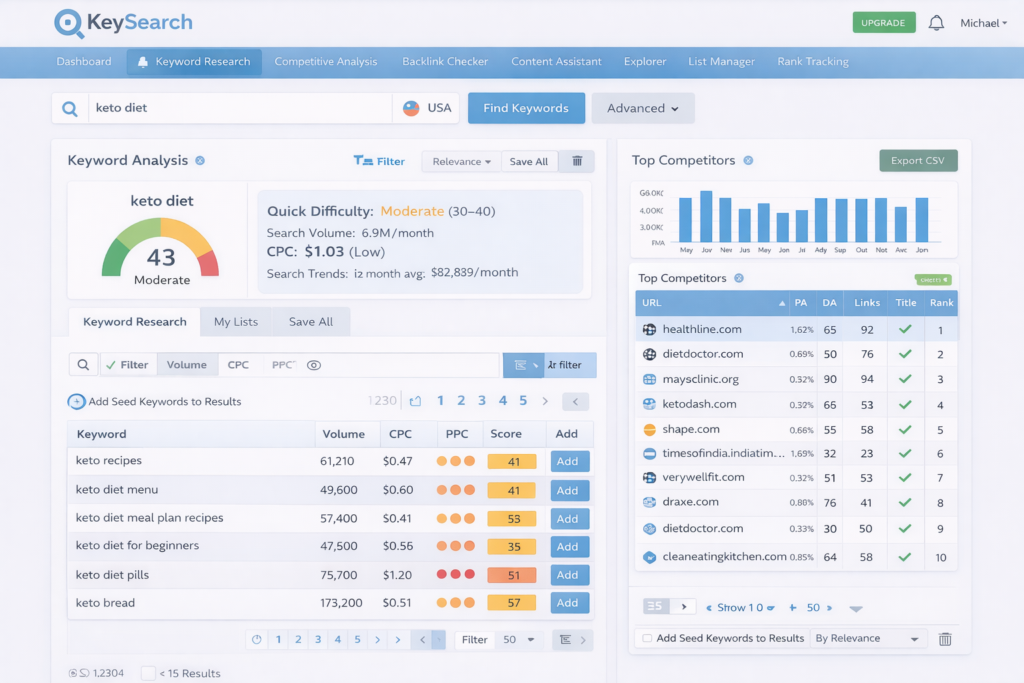
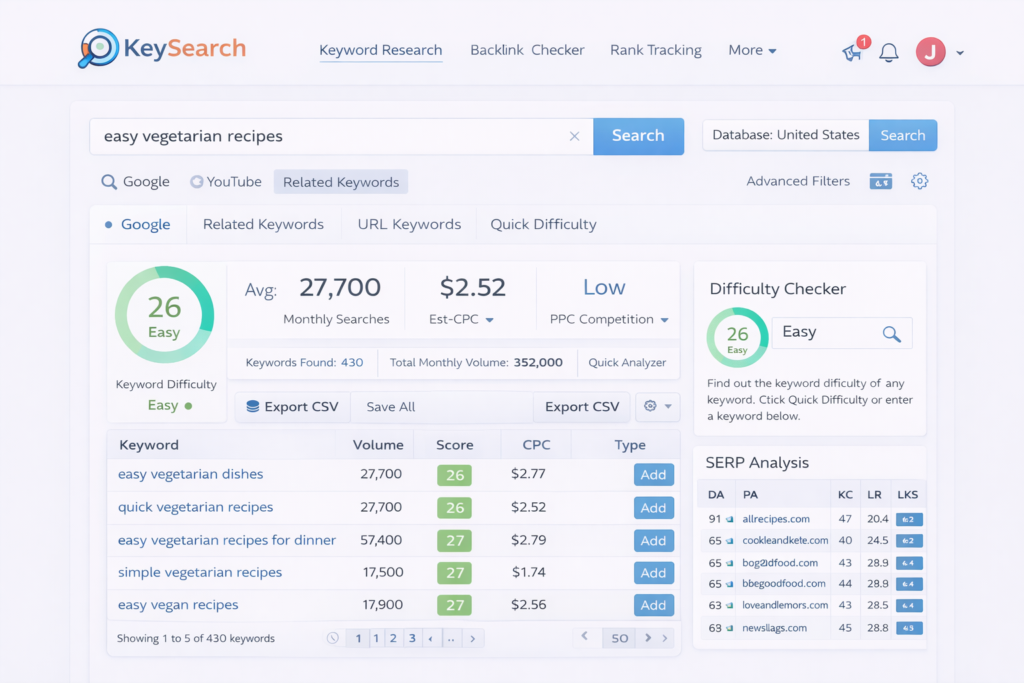
KeySearch’s keyword research tool does more than just show you search volumes. It assigns each keyword a difficulty score (0-100) that tells you realistically how hard it’ll be to rank.
Why it matters: You can quickly identify “low-hanging fruit” keywords with decent search volume but low competition. Instead of competing with authority sites for impossible keywords, you’ll target terms you can actually rank for.
Real benefit: Save months of effort by focusing on winnable keywords from day one. Many users report ranking on page one within weeks by targeting KeySearch’s suggested low-difficulty terms.
2. Competitor Analysis
Enter any website URL and KeySearch reveals their top-performing keywords, estimated traffic, and ranking positions. You’ll see exactly what’s working for your competitors.
Why it matters: Why guess when you can copy success? If a competitor is ranking well for specific terms, you know there’s proven demand and a clear path forward.
Real benefit: Shortcut your content strategy by building on what already works. You’re not stealing—you’re learning from the market.
3. Rank Tracking
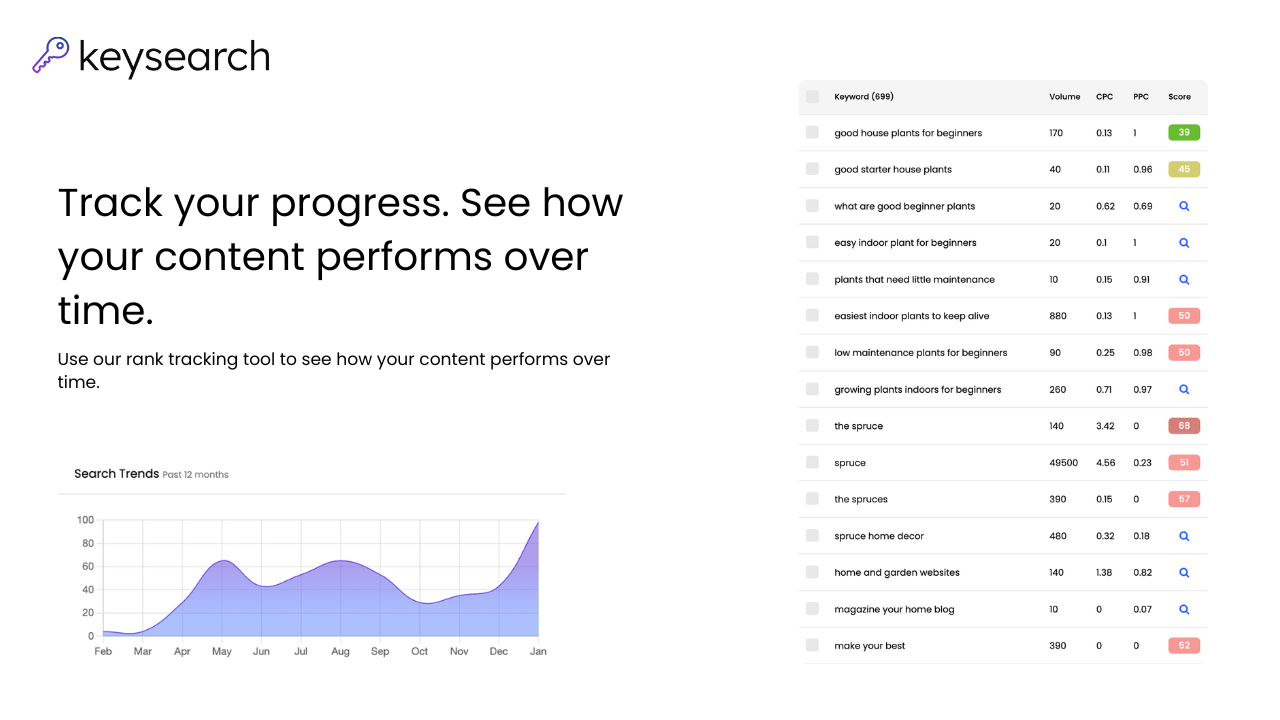
Monitor your keyword positions across Google with daily updates. KeySearch tracks your rankings automatically and alerts you to significant changes.
Why it matters: You need proof your SEO efforts are working. Rank tracking shows whether you’re moving up, down, or stuck—so you can adjust your strategy accordingly.
Real benefit: Celebrate wins and catch problems early. If a high-value keyword suddenly drops, you’ll know immediately and can investigate.
4. Backlink Checker
Analyze your site’s backlink profile or spy on competitors’ link-building strategies. See who’s linking to them and identify opportunities for your own outreach.
Why it matters: Backlinks remain one of Google’s top ranking factors. Understanding the link landscape helps you build authority strategically.
Real benefit: Find realistic link opportunities instead of wasting time on dead-end outreach. See which types of content attract natural links in your niche.
5. Content Assistant
This AI-powered feature analyzes top-ranking pages for your target keyword and suggests related terms to include in your content.
Why it matters: Google doesn’t just look at your main keyword anymore—it evaluates topical comprehensiveness. The Content Assistant ensures you’re covering all the bases.
Real benefit: Write SEO-optimized content faster, without obsessing over keyword density or wondering if you’ve missed important subtopics.
6. YouTube Keyword Research
KeySearch isn’t just for websites. It includes dedicated YouTube keyword research, showing search volumes and competition specifically for video content.
Why it matters: YouTube is the second-largest search engine, and video SEO is often overlooked. This feature opens up an entirely separate traffic channel.
Real benefit: Find untapped video topics before your competitors do. Many niches have far less competition on YouTube than Google.
7. Intuitive Browser Extension
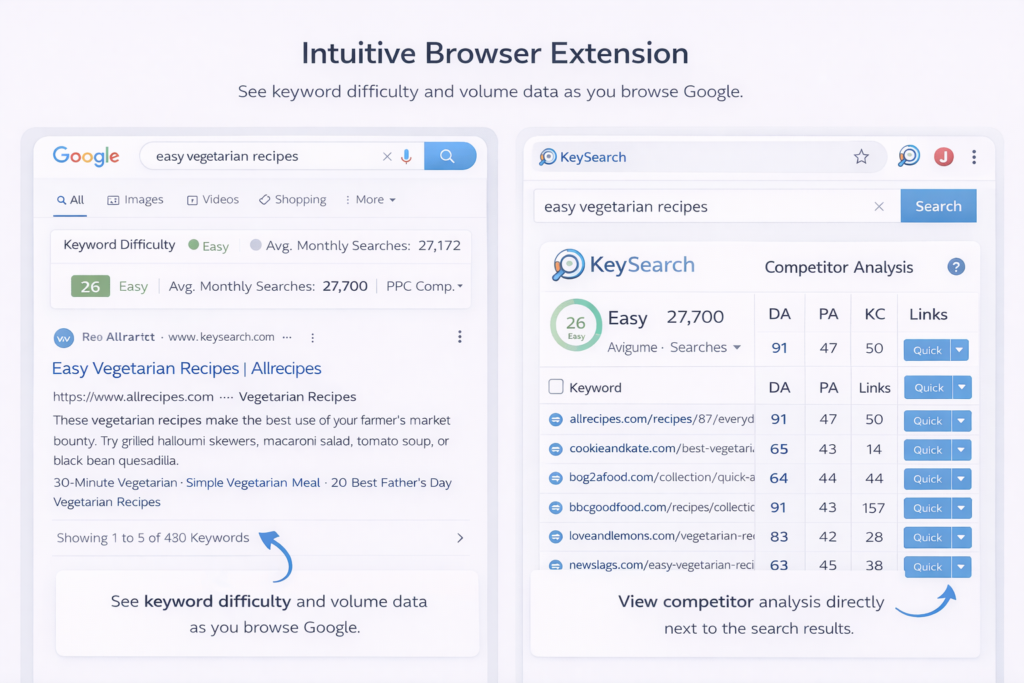
The KeySearch Chrome extension lets you see keyword difficulty and volume data directly in your Google search results.
Why it matters: Research keywords naturally as you browse, without constantly switching tabs or copying terms into a separate tool.
Real benefit: Spot opportunities on the fly. When you stumble across interesting topics, you’ll instantly know if they’re worth pursuing.
How KeySearch Helps You Get Real Results
Let’s talk about what actually matters how this tool translates into tangible outcomes for your business.
Save 10+ Hours Every Week: Instead of manually researching keywords across multiple platforms, exporting CSVs, and cross-referencing data in spreadsheets, KeySearch centralizes everything. One search gives you volume, difficulty, CPC, and trend data instantly. What used to take an afternoon now takes five minutes.
Reduce Your SEO Tool Expenses: Most serious marketers end up paying for Ahrefs ($99-999/month), SEMrush ($119-449/month), or Moz ($99-599/month). KeySearch delivers 80% of the functionality these tools provide, but at a fraction of the cost. For solopreneurs and small teams, that’s literally thousands of dollars saved annually.
Rank Faster with Better Targeting: The difficulty score is the game-changer here. New websites waste months targeting keywords they have no chance of ranking for. KeySearch’s algorithm considers domain authority, backlink requirements, and competition quality giving you realistic expectations upfront. Users consistently report faster results because they’re picking smarter battles.
Make Confident Content Decisions: That nagging question “Is this topic worth writing about?” disappears. KeySearch shows you the search demand, the commercial intent (through CPC data), and the ranking difficulty. You’ll know before you write a single word whether the content has potential.
Ready to see if KeySearch can work for your specific situation? Check out KeySearch’s current plans and start your free trial here (no credit card required for the trial).
Real Use Cases & Examples
Use Case 1: The New Blogger Finding Their First Wins
Before: Maria started a personal finance blog but struggled for six months without any meaningful traffic. She was writing about “best credit cards” and “how to invest” topics dominated by massive financial sites.
After: Using KeySearch, she discovered long-tail variations like “best credit cards for teachers” and “how to invest $500 for beginners” with difficulty scores under 30. She pivoted her content strategy.
Result: Within 90 days, three of her articles ranked on page one. Her monthly traffic jumped from 150 visitors to 2,400, and she earned her first affiliate commissions.
Use Case 2: The Affiliate Marketer Scaling Revenue
Before: Jake ran a home gym equipment review site but couldn’t compete with Amazon and major retailers for broad terms like “best dumbbells.”
After: KeySearch’s competitor analysis revealed that smaller sites were ranking well for specific product model reviews and comparison articles. He found dozens of keywords like “[specific dumbbell model] review” with decent volume and low competition.
Result: Jake created targeted product reviews for specific equipment models. His conversion rate doubled because the traffic was more qualified, and his monthly affiliate income grew from $800 to $3,200 in five months.
Use Case 3: The Local Business Owner Getting Found
Before: A boutique yoga studio in Portland relied entirely on social media and struggled to attract new students outside their immediate circle.
After: Using KeySearch’s local keyword research, the owner discovered “yoga classes in [neighborhood name]” terms with low competition. She optimized her Google Business Profile and created location-specific content pages.
Result: Organic website traffic increased 340% over six months. The studio started appearing in the “map pack” for multiple neighborhood searches, resulting in 15-20 new student inquiries per month from Google alone.
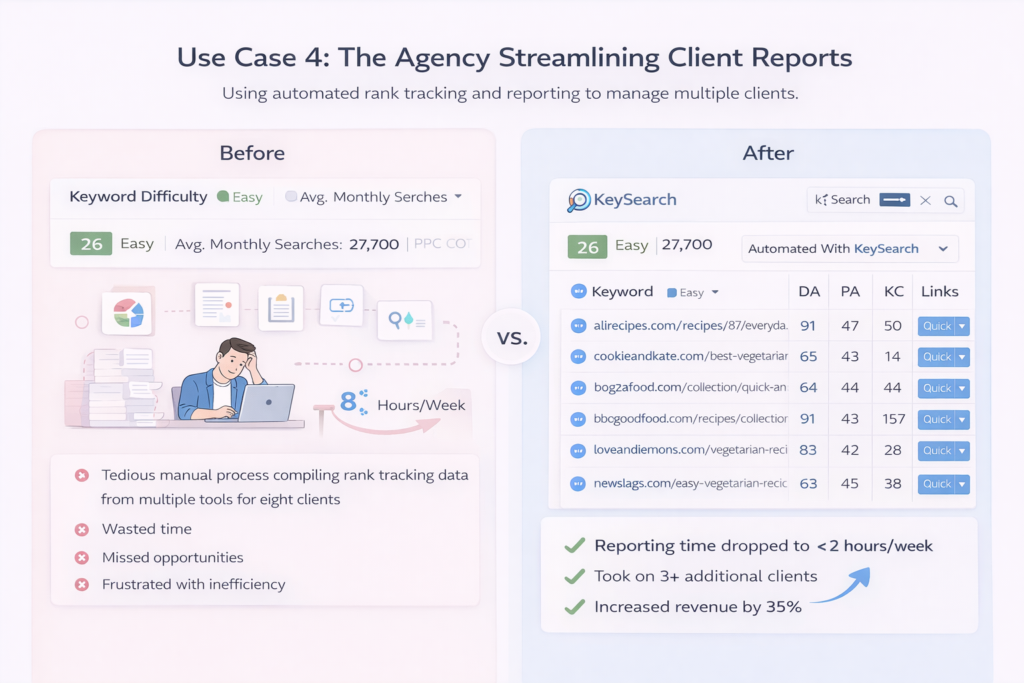
Use Case 4: The Agency Streamlining Client Reports
Before: A three-person digital marketing agency spent countless hours compiling rank tracking data from multiple tools for their eight clients.
After: They consolidated everything into KeySearch, using the rank tracking and reporting features to automatically monitor all client keywords in one dashboard.
Result: Reporting time dropped from 8 hours per week to under 2 hours. The agency could take on three additional clients without hiring another team member, directly increasing revenue by 35%.
Pricing & Plans (Honest Breakdown)
KeySearch keeps its pricing straightforward with two main tiers:
Starter Plan (~$17-29/month range when billed annually)
This plan is perfect for individual bloggers, new affiliate marketers, or anyone just getting serious about SEO. You get:
- Full keyword research access
- Competitor analysis
- Basic rank tracking (limited number of keywords)
- Backlink checker
- Content assistant
Pro Plan (~$34-49/month range when billed annually)
Designed for agencies, serious marketers, or anyone managing multiple websites. Includes everything in Starter, plus:
- Increased rank tracking limits
- More competitor analysis exports
- Priority support
- Additional user seats
Free Trial: KeySearch offers a trial period so you can test-drive the platform before committing. No credit card required upfront just sign up and explore.
Money-Saving Tip: Annual billing typically saves you 30-40% compared to monthly payments. If you’re serious about SEO (and you should be), the annual route makes financial sense.
Who should get which plan?
- Choose Starter if you’re managing 1-2 websites or just beginning your SEO journey
- Choose Pro if you’re tracking 50+ keywords, managing client sites, or running multiple properties
The honest truth? Even the Starter plan offers more functionality than you’ll get from many “free” SEO tools, and it’s dramatically cheaper than enterprise alternatives that cost 5-10x more.
Pros & Cons
PROS:
✅ Genuinely affordable for small businesses and solopreneurs – You get professional-grade features without the enterprise-level price tag that puts tools like Ahrefs out of reach for most people
✅ Beginner-friendly interface – You don’t need SEO experience to understand the data. Everything is presented clearly with helpful tooltips and explanations
✅ Accurate keyword difficulty scores – Unlike some tools that wildly overestimate or underestimate, KeySearch’s difficulty ratings consistently help users identify realistic ranking opportunities
✅ All-in-one platform – Keyword research, rank tracking, backlink analysis, and competitor research under one roof means fewer subscriptions and no data importing/exporting headaches
✅ Excellent YouTube SEO features – One of the few affordable tools that treats YouTube keyword research as a first-class feature, not an afterthought
✅ Responsive customer support – Users consistently report helpful, timely responses from the KeySearch team, which is rare at this price point
✅ Regular updates and improvements – The team actively develops new features based on user feedback, meaning the tool keeps getting better
✅ No learning curve nightmare – You can start finding valuable keywords within minutes of signing up, not days or weeks like with more complex platforms
CONS:
⚠️ Because KeySearch focuses on simplicity and core SEO functions, it doesn’t include some advanced features like site audits or extensive technical SEO diagnostics that enterprise tools offer. If you need comprehensive site crawling and technical analysis, you might need to supplement with another tool.
⚠️ Because KeySearch optimizes for affordability, the keyword tracking limits on lower-tier plans are conservative compared to unlimited tracking in premium tools. High-volume agencies might eventually need to upgrade or use multiple accounts.
⚠️ Because KeySearch emphasizes an intuitive experience, power users who want to export massive datasets or build custom API integrations might find the platform’s streamlined approach occasionally limiting for extremely advanced workflows.
KeySearch vs Alternatives
KeySearch vs Ahrefs
Ahrefs is the gold standard for professional SEO—massive index, comprehensive data, enterprise features. But it starts at $129/month.
Choose KeySearch if: You’re an individual or small team that needs solid keyword research and competitor insights without the premium price. You’ll get 80% of what Ahrefs offers for about 20% of the cost.
Choose Ahrefs if: You’re an established agency with demanding clients, need the absolute largest backlink index, or have budget for premium tools.
KeySearch vs SEMrush
SEMrush excels at competitive intelligence and includes features like social media management and advertising research. Plans start at $119/month.
Choose KeySearch if: You primarily need SEO research and rank tracking. SEMrush’s broader feature set often means you’re paying for tools you don’t use.
Choose SEMrush if: You need an integrated marketing platform covering SEO, PPC, content marketing, and social media all together.
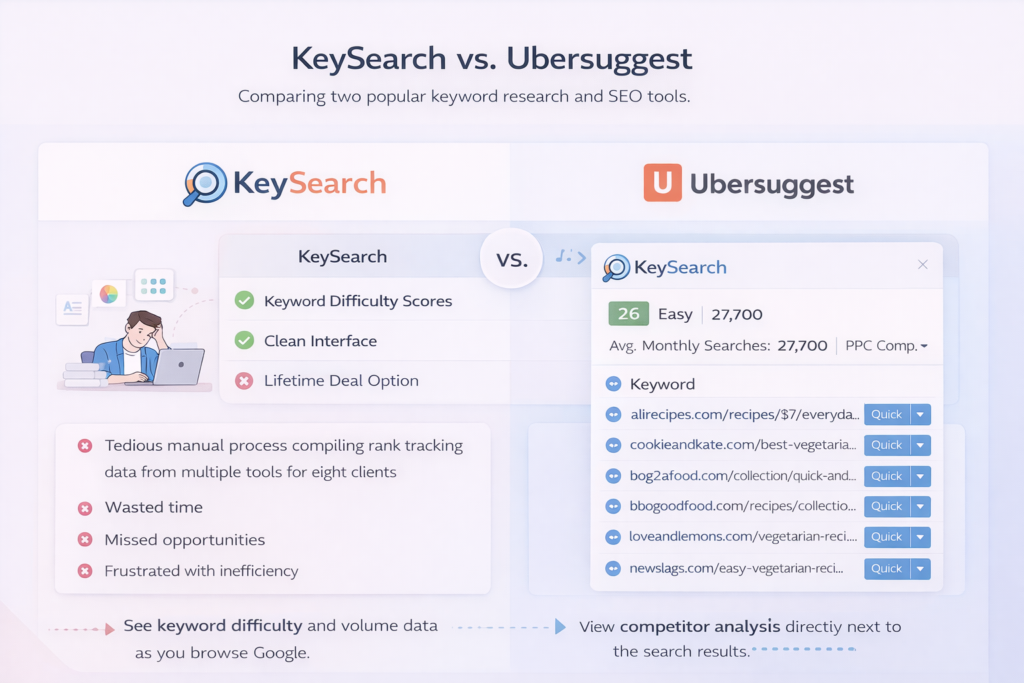
KeySearch vs Ubersuggest
Ubersuggest (Neil Patel’s tool) is another budget-friendly option with lifetime deals occasionally available.
Choose KeySearch if: You want more accurate difficulty scores and a cleaner, less ad-heavy interface. Users report KeySearch’s data tends to be more reliable for ranking predictions.
Choose Ubersuggest if: You prefer a one-time payment model (when lifetime deals are available) over subscription pricing.
The bottom line: KeySearch occupies the sweet spot between free tools that lack depth and enterprise platforms that cost more than your rent. It’s the “Goldilocks” solution—just right for most website owners and marketers.
How to Get Started with KeySearch (Step-by-Step)
Getting up and running with KeySearch takes about 10 minutes. Here’s exactly how to do it:
Step 1: Visit the Official Website
Head over to KeySearch’s website and start your free trial. You’ll land on their homepage where you can explore the features and see current pricing.
Step 2: Create Your Account
Click the “Start Free Trial” or “Sign Up” button. You’ll need to provide:
- Your email address
- A password
- Basic information about your website (optional but helpful for personalized recommendations)
No credit card is required for the trial period you can test everything risk-free.
Step 3: Initial Setup
Once logged in, KeySearch will ask a few quick questions:
- What type of website do you run? (blog, e-commerce, local business, etc.)
- What’s your primary goal? (more traffic, higher rankings, competitor research)
These answers help customize your dashboard, but you can change them anytime.
Step 4: Run Your First Keyword Search
In the main dashboard, find the keyword research tool. Enter a broad topic related to your niche something like “vegan recipes,” “digital marketing tips,” or “home workout equipment.”
Hit search and watch KeySearch generate hundreds of related keyword ideas, complete with:
- Monthly search volume
- Keyword difficulty score
- Cost-per-click data
- Search trend graphs
Sort by difficulty (low to high) to find your quickest wins.
Step 5: Set Up Rank Tracking
Choose 5-10 keywords you want to track (keywords you’re already targeting or planning to target). Add them to your rank tracker along with your website URL.
KeySearch will start monitoring your positions and send you updates as your rankings change.
Optimization Tip: Don’t get overwhelmed trying to track 100 keywords immediately. Start with your 10 most important terms. As you gain confidence and see results, expand your tracking gradually.
Final Verdict: Is KeySearch Worth It?
Here’s my honest assessment after thoroughly testing KeySearch and comparing it to the competition:
KeySearch is absolutely worth it if you’re:
- Running 1-5 websites and need professional SEO insights without enterprise costs
- Building a content strategy from scratch and need reliable keyword targeting
- Tired of paying $100+ monthly for features you rarely use
- Looking for a tool that actually helps you rank faster, not just provides data
The value proposition is simple: You get 80% of what the expensive tools offer for about 20% of the price. For most bloggers, affiliate marketers, small business owners, and freelancers, that trade-off is a no-brainer.
What really stands out is how KeySearch removes the intimidation factor from SEO. You don’t need to be a technical expert or spend hours learning the platform. It respects your time and intelligence by highlighting what matters and hiding what doesn’t.
The keyword difficulty scores alone have saved users countless hours of wasted effort. Instead of writing 20 articles that never rank, you write 5 articles that reach page one—that’s the KeySearch difference.
Is it perfect? No tool is. If you’re managing an agency with 50+ clients or need bleeding-edge features like AI-powered content generation or real-time index updates, you might eventually need more. But for 90% of website owners and marketers, KeySearch provides everything you actually need.
The question isn’t whether KeySearch is worth the money—it’s whether you can afford to keep guessing about SEO without proper keyword research. The answer is no.
You’ve read the review. You understand what KeySearch offers and who it helps most. Now it’s decision time.
Here’s what happens next if you try KeySearch:
✨ You’ll stop wasting time on keywords you’ll never rank for
✨ You’ll find low-competition opportunities your competitors missed
✨ You’ll watch your traffic grow as you consistently target winnable terms
✨ You’ll finally have clarity on what content to create next
The risk? None. KeySearch offers a free trial with no credit card required. Test it yourself. Run keyword searches for your niche. Check out your competitors. See if the difficulty scores match your experience.
If it doesn’t work for your specific situation, you’ve lost nothing but 30 minutes. If it does work (and for most people, it absolutely does), you’ve just found your secret weapon for SEO growth.
Click here to start your free KeySearch trial and find your first ranking opportunity
Don’t let another month pass watching your competitors grow their traffic while you guess at keywords. Join thousands of marketers who’ve already made the switch.
Affiliate Disclosure
Transparency matters to me. This review contains affiliate links, which means I may earn a commission if you decide to purchase KeySearch through my links at no additional cost to you. I only recommend tools I’ve personally tested and believe provide genuine value. Your trust is more important than any commission, which is why this review includes both pros and cons. Whether you use my link or not, I hope this review helped you make an informed decision about KeySearch.
Frequently Asked Questions (FAQs)
Is KeySearch suitable for complete SEO beginners?
Yes, absolutely. KeySearch is designed with beginners in mind. The interface is intuitive, the terminology is explained clearly, and you don’t need prior SEO knowledge to find valuable keywords. Most users report being able to conduct effective keyword research within their first 30 minutes on the platform.
How accurate are KeySearch’s keyword difficulty scores?
KeySearch’s difficulty scores are consistently reliable for most niches. They consider factors like domain authority of ranking sites, backlink profiles, and on-page optimization. While no tool is 100% perfect, users report that KeySearch’s predictions align well with actual ranking outcomes, especially for small to medium-sized websites.
Can I use KeySearch for YouTube keyword research?
Yes! KeySearch includes dedicated YouTube keyword research functionality. You can search for video keywords, see estimated search volumes specifically for YouTube, and analyze competition for video content. It’s one of the better affordable tools for YouTube SEO.
Does KeySearch offer a free trial?
Yes, KeySearch offers a free trial period that doesn’t require a credit card. This allows you to fully test the platform’s features before committing to a paid plan. Check their website for current trial terms.
What’s the difference between KeySearch’s Starter and Pro plans?
The main differences are keyword tracking limits, export capabilities, and the number of searches you can perform. Starter works well for individual bloggers managing 1-2 sites, while Pro is better for agencies or marketers managing multiple properties. Both plans include core features like keyword research, competitor analysis, and backlink checking.
Can KeySearch replace tools like Ahrefs or SEMrush?
For most small to medium-sized businesses, yes. KeySearch provides the essential SEO research features—keyword research, rank tracking, competitor analysis, and backlink checking—that most marketers actually use daily. However, if you need extremely deep backlink analysis, site auditing, or advanced enterprise features, you might still want a premium tool.
How often does KeySearch update its keyword data?
KeySearch updates its database regularly to ensure you’re working with current information. Rank tracking typically updates daily, while search volume and competition data refresh monthly based on the latest available information from search engines.

Leave a Reply