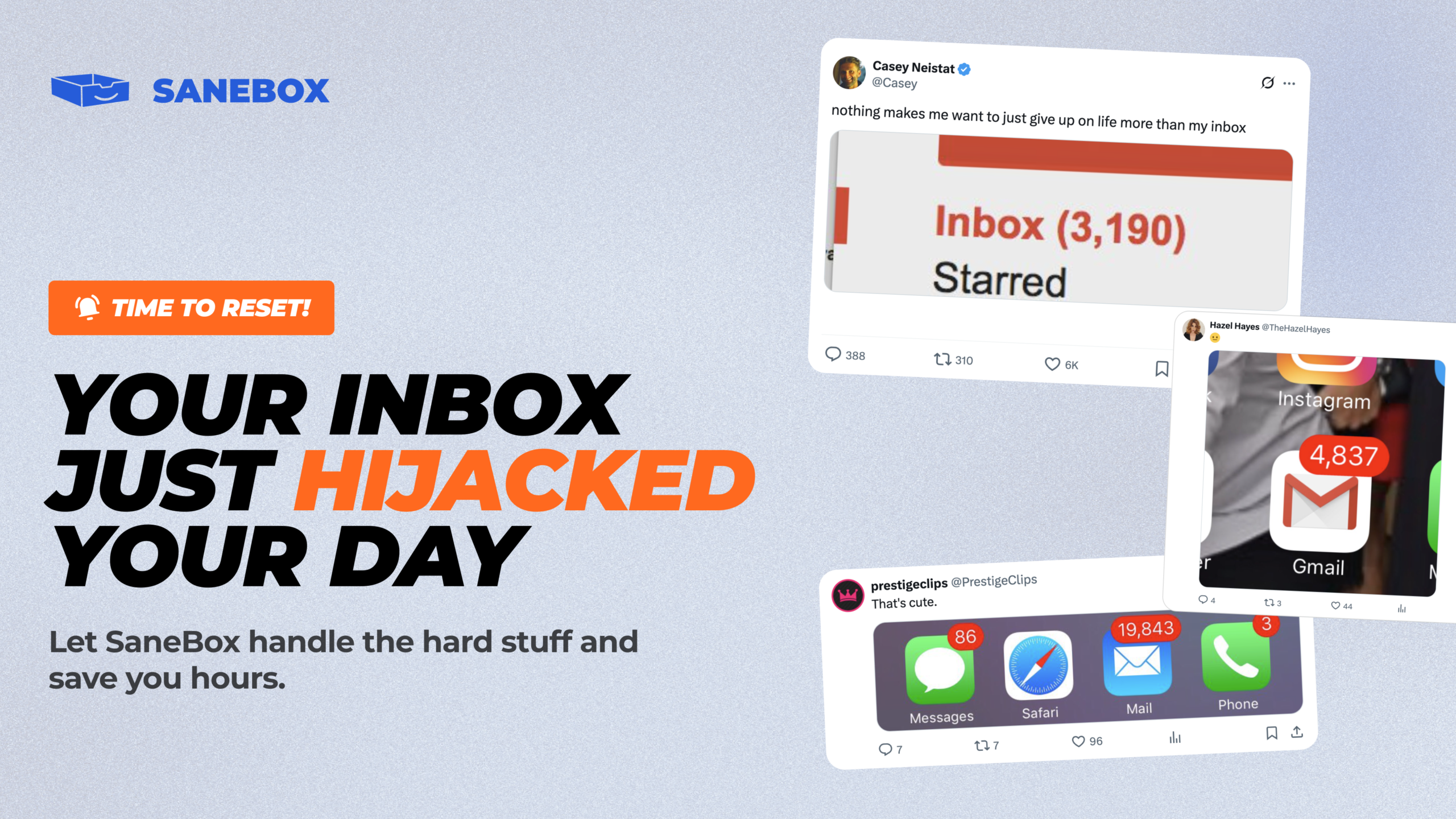
You open your inbox and see 847 unread emails.
Half are newsletters you meant to unsubscribe from. A quarter are updates you don’t need right now. Somewhere in that mess are three urgent emails from your boss, a client asking for a response, and that password reset link you requested yesterday.
You spend 30 minutes scrolling, searching, and stressing before you even start your actual work.
Sound familiar?
Email overload isn’t just annoying—it’s killing your productivity. Studies show the average person spends 28% of their workday managing emails. That’s over 2 hours every single day just trying to stay on top of messages.
This is where SaneBox comes in.
SaneBox is an AI-powered email management tool that learns your behavior and automatically organizes your inbox so you only see what matters. It works in the background, sorting emails into smart folders, reminding you of important messages, and helping you unsubscribe from clutter.
No complicated rules. No manual sorting. Just a cleaner, calmer inbox that lets you focus on real work.
In this SaneBox review, I’ll walk you through everything you need to know—what it does, who it’s for, how it works, pricing details, and whether it’s actually worth the investment in 2026.
What Is SaneBox?
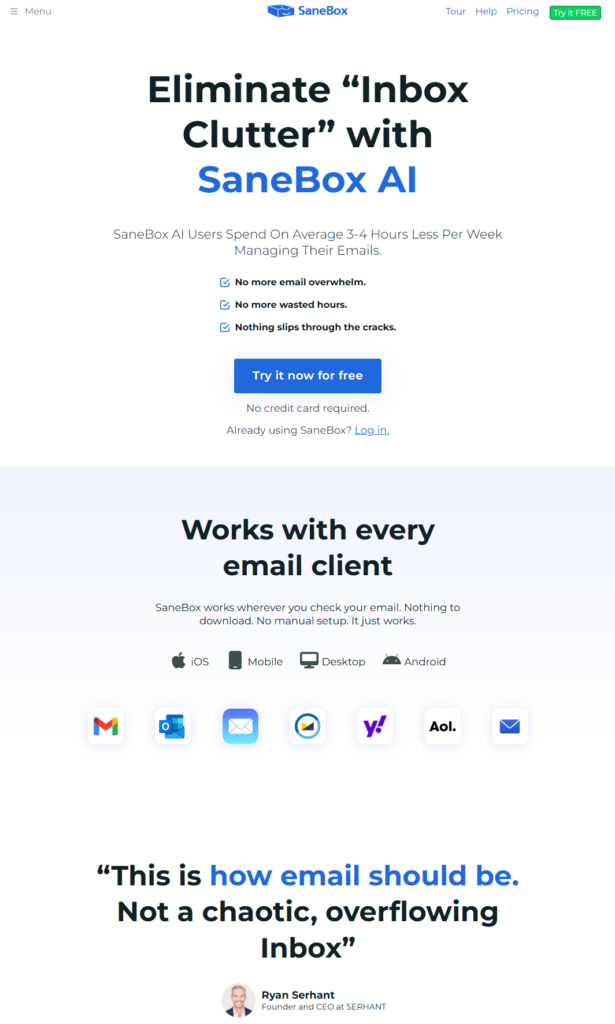
SaneBox is an intelligent email assistant that plugs directly into your existing email account and uses artificial intelligence to sort, organize, and prioritize your messages.
Think of it as a personal assistant who reads every email the moment it arrives and decides: “Is this important right now, or can it wait?”
Instead of cluttering your main inbox, SaneBox moves less urgent emails into separate folders like SaneLater (for non-urgent messages) or SaneNews (for newsletters). You can review these folders when you have time, without them distracting you throughout the day.
But it doesn’t stop there.
SaneBox also helps you unsubscribe from junk, snooze emails until you’re ready to deal with them, remind you of follow-ups, and even track attachments—all without leaving your current email app.
It works with Gmail, Outlook, Apple Mail, Yahoo, and almost any IMAP email provider, so you don’t need to switch platforms or learn new software.
The result? A dramatically quieter inbox that only shows you what truly matters.
Who Should Use SaneBox?
SaneBox is ideal for:
- Busy professionals who receive 50+ emails daily and struggle to prioritize what’s urgent
- Entrepreneurs and freelancers managing multiple clients, projects, and communication channels
- Remote workers overwhelmed by constant notifications and meeting updates
- Sales and marketing teams drowning in automated emails, newsletters, and promotional messages
- Anyone who’s tried inbox zero strategies but couldn’t stick with them long-term
- People who want email management without changing their current email provider
Who it may not be ideal for:
If you receive fewer than 20 emails per day or already have a system that works perfectly, SaneBox might feel like overkill. It’s built for people actively struggling with email volume, not those with minimal inbox activity.
Top Features of SaneBox
1. AI-Powered Email Sorting
SaneBox’s core feature is its intelligent filtering system.
When you first connect your email account, SaneBox analyzes your past behavior—who you reply to, who you ignore, which emails you open immediately, and which sit unread for weeks.
Based on this learning, it automatically moves non-urgent emails into folders like SaneLater or SaneNews, keeping your main inbox focused on important messages only.
Why it matters: You stop wasting mental energy deciding what to read first. Your inbox becomes a priority queue, not a dumping ground.
2. SaneBlackHole (One-Click Unsubscribe)
We’ve all been there—hitting “unsubscribe” at the bottom of a newsletter, only to keep receiving emails for weeks.
SaneBlackHole solves this permanently.
Drag any unwanted email into the SaneBlackHole folder, and SaneBox ensures you’ll never see emails from that sender again. No confirmation required. No waiting period.
Why it matters: You can eliminate spam, promotional clutter, and irrelevant subscriptions in seconds, not minutes.
3. SaneReminders (Follow-Up Tracking)
Ever send an important email and forget to follow up when you don’t get a response?
SaneReminders automatically brings emails back to your inbox if the recipient hasn’t replied within a timeframe you set.
You can also use it to remind yourself about emails you need to revisit later—like a quote you requested or a proposal you’re waiting on.
Why it matters: Important conversations never fall through the cracks. You look professional and stay on top of commitments without manual tracking.
4. SaneSnooze (Email Scheduling)
Some emails are important, but not right now.
SaneSnooze lets you temporarily remove emails from your inbox and have them reappear at a specific time—tomorrow morning, next Monday, or even in three weeks.
Why it matters: You deal with emails when you’re actually ready to act on them, not when they randomly arrive.
5. SaneAttachments (Searchable File Index)
How many times have you searched your inbox desperately looking for “that PDF someone sent last month”?
SaneAttachments creates a digest of every file sent to you, organized by date and sender, making it easy to find contracts, invoices, images, or documents without digging through hundreds of emails.
Why it matters: You save hours searching for files and can quickly access important documents when you need them most.
6. Custom Folder Training
Don’t like how SaneBox sorted something? No problem.
You can create custom folders and train SaneBox to automatically route certain types of emails there. For example, all receipts could go to SaneReceipts, or client communications could go to SaneClients.
Why it matters: You shape the system to match your workflow, not the other way around.
7. Daily Digest Summaries
Instead of checking every folder multiple times a day, SaneBox can send you a single daily summary showing what landed in your SaneLater or SaneNews folders.
You review it once, decide what needs attention, and move on.
Why it matters: You stay informed without constant interruptions or inbox checking.
Ready to reclaim your inbox? Try SaneBox with a 14-day free trial and see how much time you save.
Key Benefits of Using SaneBox
Save 2+ Hours Every Week
When your inbox only shows priority emails, you stop scrolling, searching, and second-guessing. Users report saving 3–4 hours per week on email management alone.
That’s time you can spend on actual work, strategic thinking, or simply finishing your day earlier.
Reduce Stress and Mental Clutter
A chaotic inbox creates constant low-level anxiety. You always feel behind, even when you’re not.
With SaneBox handling the sorting, that anxiety disappears. You trust that nothing important is buried, and you can focus without worry.
Stay Professional Without Effort
Forgetting to follow up with a client or missing an important message damages your reputation.
SaneBox’s reminder and tracking features ensure you never drop the ball, even during your busiest weeks.
Work Faster With Less Friction
Because SaneBox works inside your existing email app, there’s no learning curve, no new interface, and no switching between tools.
You keep using Gmail, Outlook, or Apple Mail exactly as you always have—just with a dramatically cleaner inbox. Explore SaneBox and see how seamlessly it fits into your workflow.
Regain Control Without Changing Habits
Unlike strict inbox zero systems that require discipline and daily maintenance, SaneBox runs automatically in the background.
You don’t need to create rules, set up filters, or remember to check special folders. It just works.
Real-World Use Case: How SaneBox Transformed a Freelancer’s Workflow
Meet Sarah—a freelance marketing consultant juggling six active clients.
Before SaneBox:
Sarah’s inbox was a battlefield. Client emails mixed with newsletters, promotional offers, meeting invites, and automated updates from project management tools.
Every morning, she spent 45 minutes sorting through 80+ new emails, trying to figure out what needed immediate attention.
She missed a client deadline once because an urgent request was buried under 30 promotional emails. She constantly felt behind and anxious about her inbox, even on weekends.
After Using SaneBox:
Within three days of connecting her Gmail account, SaneBox had learned her patterns.
Now, her main inbox only shows client communications and truly urgent messages—usually 10–15 emails per day. Everything else is automatically sorted into SaneLater (general updates) or SaneNews (newsletters she actually wants to read).
She drags promotional junk into SaneBlackHole once, and it never returns.
When she sends a proposal to a potential client, she uses SaneReminders to bring it back to her inbox if they haven’t responded in three days—no more manually tracking follow-ups in a spreadsheet.
The Result:
Sarah now spends 15 minutes managing email instead of 45. She hasn’t missed a client deadline in over a year. She feels calmer, more in control, and actually enjoys checking her inbox again.
Her favorite part? She didn’t have to change email providers, learn complex automation, or build elaborate folder systems. SaneBox just handled it.
SaneBox Pricing and Plans
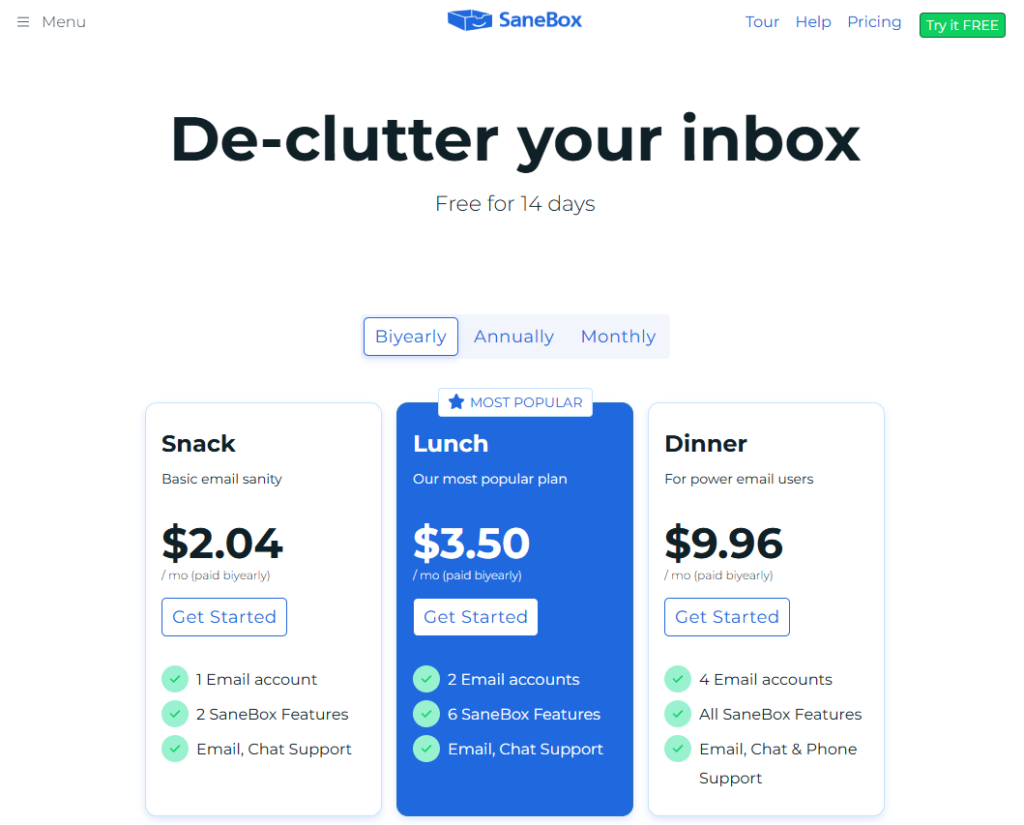
SaneBox offers three main pricing tiers designed for different email volumes and needs. All plans come with a 14-day free trial—no credit card required upfront.
Pricing is billed annually or monthly, with annual plans offering significant savings (roughly 2 months free).
| Plan | Best For | Key Inclusions | Value Summary |
|---|---|---|---|
| Snack | Light email users (1 account) | SaneLater, SaneBlackHole, SaneReminders, Daily Digest | Affordable entry point for single-account users managing moderate email volume |
| Lunch | Most professionals (2 accounts) | All Snack features + SaneAttachments, SaneNews, Custom Folders, 2 email accounts | Most popular plan—ideal for freelancers and professionals with moderate complexity |
| Dinner | Power users (4+ accounts) | All Lunch features + 4 email accounts, Priority Support, Advanced Training | Best for entrepreneurs, executives, and teams managing multiple inboxes |
Who should choose which plan?
- Choose Snack if you manage one email account with 30–50 emails daily and want basic prioritization.
- Choose Lunch if you’re a freelancer, consultant, or professional managing 50–100+ emails across two accounts.
- Choose Dinner if you’re an executive, entrepreneur, or team member managing multiple high-volume inboxes.
Free trial note: SaneBox offers a genuine 14-day free trial with full access to features. You can cancel anytime if it doesn’t work for you—no questions asked.
Not sure which plan fits your needs? Get Started with SaneBox and test all features free for 14 days.
Pros and Cons of SaneBox
| Pros | Cons |
|---|---|
| AI learns your behavior automatically—no manual rule creation required | Requires time to train initially—accuracy improves after a few days of use |
| Works with any email provider—Gmail, Outlook, Yahoo, Apple Mail, IMAP | No mobile app—works through your existing email app, which some users prefer but others find limiting |
| Saves hours weekly—users report 2–4 hours saved on email management | Pricing is subscription-based—not a one-time purchase, though cost is justified by time saved |
| Privacy-focused—reads email headers, not content, and never stores messages | Feature set may overwhelm minimalists—best suited for those with genuine email overload, not light users |
| 14-day free trial—lets you test fully before committing financially | Learning curve for advanced features—basic sorting works instantly, but custom training takes experimentation |
Important note on cons:
Every limitation listed here is a trade-off of SaneBox’s strengths. The initial training period exists because the AI is learning your unique preferences. The lack of a separate mobile app means you use your familiar email interface. The subscription model ensures ongoing AI improvements and support.
SaneBox vs. Alternatives
SaneBox vs. Clean Email
Clean Email focuses on bulk actions—archiving old emails, unsubscribing in batches, and organizing by category.
SaneBox is more intelligent and proactive. Instead of you manually cleaning your inbox weekly, it continuously sorts incoming emails automatically based on learned behavior.
Choose SaneBox if: You want ongoing, automated inbox management that runs in the background. Choose Clean Email if you prefer periodic manual cleanups.
SaneBox vs. Unroll.Me
Unroll.Me is primarily an unsubscribe tool that also rolls newsletters into a daily digest.
SaneBox offers unsubscribe functionality (SaneBlackHole) but goes much further with intelligent prioritization, reminders, snoozing, and attachment tracking.
Choose SaneBox if: You need comprehensive email management, not just newsletter control. Choose Unroll.Me if newsletters are your only problem.
SaneBox vs. Superhuman
Superhuman is a complete email client replacement with a focus on speed, keyboard shortcuts, and a premium experience.
SaneBox works with your existing email app and costs significantly less. It prioritizes automation over speed.
Choose SaneBox if: You like your current email client and want smart automation without switching platforms. Choose Superhuman if you want a completely redesigned email experience and don’t mind the higher cost.
Final Verdict: Is SaneBox Worth It?
Yes—if you receive 40+ emails daily and feel overwhelmed by inbox management.
SaneBox delivers on its core promise: a cleaner, more manageable inbox without changing your email provider or workflow.
The AI sorting is genuinely effective. After a few days of training, it accurately identifies what’s urgent and what can wait. The time savings are real—users consistently report reclaiming 2–4 hours weekly.
Who benefits most from SaneBox?
- Freelancers and consultants managing multiple clients
- Busy professionals drowning in newsletters and automated updates
- Anyone who’s tried inbox zero but couldn’t sustain it
- People who want email automation without technical complexity
Is it worth the cost?
Consider this: If SaneBox saves you just 3 hours per week, that’s 156 hours per year. If your time is worth even $25/hour, that’s $3,900 in reclaimed productivity—far exceeding the annual subscription cost.
My recommendation: Start with the 14-day free trial. Connect your busiest email account and let SaneBox run for a week. You’ll quickly see whether the time savings justify the investment.
For most professionals dealing with email overload, the answer is a clear yes.
Ready to take control of your inbox? Try SaneBox free for 14 days and experience what a truly clean inbox feels like.
Final Thoughts: Your Inbox Doesn’t Have to Be Overwhelming
Email overload isn’t a personal failing—it’s a structural problem that requires the right tool to solve.
You’ve already tried manually organizing, creating folders, and checking your inbox less often. Those strategies help temporarily, but they don’t address the core issue: too much incoming volume with no intelligent filtering.
SaneBox solves this by doing the sorting for you, automatically and continuously, based on what actually matters to you.
The 14-day free trial means there’s zero risk. You don’t even need to enter a credit card to start. Connect your email, let it run for a few days, and see the difference yourself.
If it saves you even an hour a week, it’s paid for itself. If it doesn’t work for you, cancel before the trial ends—no hard feelings.
Thousands of professionals are already using SaneBox to reclaim their time and sanity. The question isn’t whether email management tools work—it’s whether you’re ready to stop fighting your inbox manually.
This review includes affiliate links, and I may earn a commission if you decide to try SaneBox—at no extra cost to you. Learn more about how this works at https://solstleblog.com/affiliate-disclosure/
Frequently Asked Questions
Does SaneBox read my emails?
No. SaneBox only reads email headers (sender, subject, timestamp), not the actual content of your messages. Your privacy is protected, and your emails are never stored on SaneBox servers.
How long does it take for SaneBox to start working accurately?
Most users see accurate sorting within 2–3 days. The AI learns from your behavior—who you reply to, who you ignore, and how you interact with different senders. The more you use your inbox normally, the smarter it gets.
Can I use SaneBox with multiple email accounts?
Yes. Depending on your plan, you can connect 1, 2, or 4+ email accounts. The Lunch plan (most popular) supports 2 accounts, while the Dinner plan supports 4 or more.
What happens if SaneBox sorts something incorrectly?
Simply move the email back to your inbox. SaneBox learns from this correction and adjusts its filtering for future emails from that sender. Training is continuous and improves over time.
Is there a free version of SaneBox?
SaneBox doesn’t offer a permanently free plan, but it does provide a 14-day free trial with full feature access. This lets you test everything before deciding whether to subscribe.

Leave a Reply