What If Your Business Could Answer Every Customer Question Instantly—Even While You Sleep?
Imagine,It’s 2 AM. A potential customer lands on your website with a burning question about your product. But your support team is offline. Your FAQ page is buried. Your competitor’s site is just one click away.
That customer? Gone forever.
Now imagine a different scenario: That same customer asks their question and gets an instant, accurate, personalized response—not from a generic bot that spits out robotic answers, but from an AI assistant trained specifically on your business data, your documentation, your brand voice.
That’s exactly what CustomGPT does.
In a world where attention spans are shorter than ever and customers expect instant gratification, waiting hours (or even minutes) for answers isn’t just inconvenient—it’s costing you real money. According to recent studies, 82% of consumers expect immediate responses to sales or marketing questions, and 60% will abandon a purchase if they can’t get quick answers.
But here’s the problem most businesses face: Traditional chatbots are dumb, customer service teams can’t scale infinitely, and hiring more support staff gets expensive fast.
Enter CustomGPT—the AI chatbot platform that learns from YOUR content and answers like YOU would.
In this comprehensive review, I’ll show you exactly what CustomGPT is, how it works, who it’s perfect for, and whether it’s worth your investment. By the end, you’ll know if this tool is the customer engagement solution your business has been missing.
Let’s dive in.
What Is CustomGPT? (The Simple Explanation)
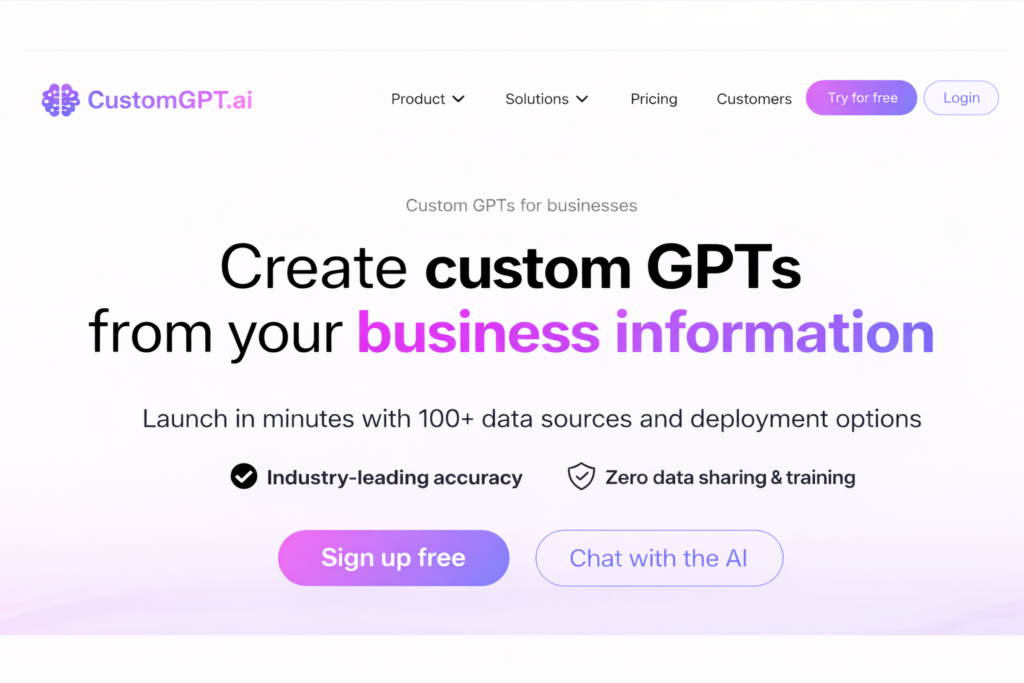
CustomGPT is an AI-powered chatbot platform that lets you create intelligent virtual assistants trained specifically on your own business data—no coding required.
Think of it like having a super-smart employee who has read every single document, webpage, PDF, and support ticket your company has ever produced, and can instantly recall and explain any of that information to your customers, 24/7/365.
How Does It Work?
The process is surprisingly simple:
- You upload your data: This could be your website content, PDF documents, knowledge base articles, product manuals, FAQs, or even entire databases
- CustomGPT trains an AI model: The platform uses advanced AI (built on GPT-4 technology) to understand and learn from your specific content
- Your chatbot goes live: Within minutes, you have a working AI assistant that can answer questions accurately based on YOUR information
- Continuous improvement: The bot gets smarter over time as it handles more conversations and you refine its knowledge base
Unlike generic chatbots that give canned responses or require complex programming, CustomGPT creates truly conversational AI that understands context, handles follow-up questions, and maintains your brand voice.
The best part? You don’t need to be a developer, data scientist, or AI expert. If you can upload a file or paste a URL, you can build a CustomGPT chatbot.
Who Should Use CustomGPT?
CustomGPT is incredibly versatile, but it shines brightest for specific types of users:
✅ Perfect For:
- E-commerce businesses who need to answer product questions instantly and reduce cart abandonment
- SaaS companies looking to deflect support tickets and scale customer success without hiring more staff
- Content creators and course sellers who want to provide instant access to their knowledge without answering the same questions repeatedly
- Marketing agencies managing multiple clients who need branded AI assistants for each account
- Educational institutions wanting to give students 24/7 access to course materials and administrative information
- Professional services firms (law, consulting, finance) who need to share complex information in accessible ways
- HR departments looking to automate employee onboarding and internal support
- Healthcare providers who want to offer instant access to appointment booking, FAQs, and general information
Top Features of CustomGPT That Actually Matter
Let’s cut through the marketing fluff and focus on what this tool actually does—and why it matters to your business.
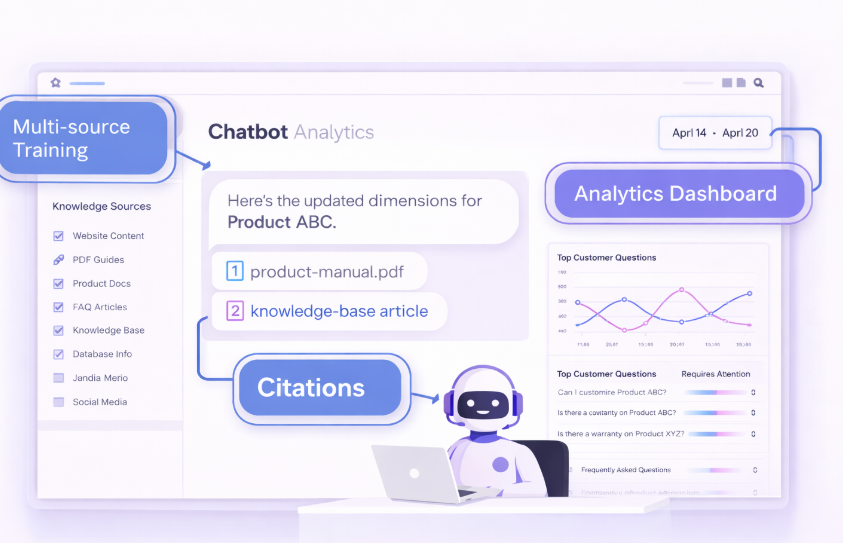
1. Train on Multiple Data Sources Simultaneously
What it is: You can upload unlimited documents (PDFs, Word docs, spreadsheets), connect entire websites via sitemap, integrate help desks, or even connect databases.
Why it matters: Your business knowledge isn’t stored in one place—it’s scattered across your website, Google Docs, Notion, support tickets, and more. CustomGPT brings it all together.
Real benefit: Instead of maintaining information in multiple places, your AI assistant becomes a single source of truth that can pull from everything, giving more comprehensive answers.
2. Citation and Source Transparency
What it is: Every answer the chatbot provides includes citations showing exactly which document or webpage the information came from.
Why it matters: Trust is everything in customer relationships. When your bot says something, customers can verify it’s actually from your official documentation.
Real benefit: Reduces skepticism, increases confidence, and protects you legally by ensuring accurate information attribution.
3. Conversational Memory and Context
What it is: The AI remembers the entire conversation, understands follow-up questions, and maintains context throughout the interaction.
Why it matters: Real conversations aren’t one-off queries—they’re back-and-forth exchanges. Generic bots lose track; CustomGPT doesn’t.
Real benefit: Customers get human-like interactions without repeating themselves, leading to higher satisfaction and fewer frustrated exits.
4. Lead Collection and CRM Integration
What it is: Built-in lead capture forms, email collection, and integrations with tools like Salesforce, HubSpot, and Zapier.
Why it matters: A chatbot that just answers questions is helpful; one that also captures qualified leads is a revenue-generating machine.
Real benefit: Turn customer service interactions into marketing opportunities—automatically qualify leads while helping them.
5. Multi-Language Support
What it is: CustomGPT can understand and respond in 95+ languages, even if your source documents are only in English.
Why it matters: If you serve international customers, you can provide instant support in their native language without hiring multilingual staff.
Real benefit: Expand your market reach without proportionally expanding your support costs.
6. Custom Branding and White-Label Options
What it is: Full customization of the chat widget appearance, personality, tone of voice, and even complete white-labeling for agencies.
Why it matters: Your chatbot should feel like part of YOUR brand, not a generic third-party tool.
Real benefit: Seamless integration that strengthens brand identity rather than diluting it.
7. Analytics and Continuous Improvement Dashboard
What it is: Detailed insights into what customers are asking, which questions the bot answered successfully, and where it struggled.
Why it matters: Data-driven improvement beats guesswork every time.
Real benefit: Identify content gaps, improve your knowledge base, and understand customer pain points at scale—insights you’d never get from traditional analytics.
How CustomGPT Helps: Real-World Benefits That Impact Your Bottom Line
Features are nice, but what you really care about is results. Here’s how CustomGPT translates into tangible business value:
⏰ Time-Saving at Scale
The average support ticket takes 8-15 minutes to resolve. If you’re handling 100 tickets per day, that’s 1,250+ hours monthly. CustomGPT can deflect 60-80% of routine questions, freeing your team to focus on complex issues that actually need human expertise.
Translation: Your support team becomes 3-5x more efficient overnight.
💰 Cost Reduction Without Service Degradation
Hiring additional support staff costs $3,000-5,000+ per month per employee (including salary, benefits, training, and tools). CustomGPT costs a fraction of that while providing 24/7 coverage with zero sick days or vacation time.
Translation: Get enterprise-level support coverage at startup-level costs.
📈 Revenue Growth Through Reduced Friction
Every unanswered question is a potential lost sale. Every delayed response is a customer considering alternatives. By providing instant, accurate answers at the exact moment of intent, you capture more conversions and reduce abandonment.
Translation: Stop losing deals to slow response times.
🎯 Better Customer Experience (Which Drives Retention)
Modern consumers judge brands by convenience. A company that respects their time and provides instant value earns loyalty. CustomGPT creates those memorable “wow” moments where customers think, “That was surprisingly easy.”
Translation: Happy customers become repeat customers and word-of-mouth advocates.
Ready to see how CustomGPT could transform your customer engagement? Get started with CustomGPT here and explore their risk-free trial.
Real Use Cases: CustomGPT in Action
Let’s look at specific scenarios where CustomGPT creates immediate value:
Use Case 1: E-Commerce Product Support
Before: An online furniture store was drowning in repetitive questions: “What are the dimensions?” “Does this come in blue?” “What’s your return policy?” Their 3-person support team spent 70% of their time answering questions already on product pages.
After: They deployed CustomGPT trained on their entire product catalog and policy documentation. The bot now handles 73% of incoming questions automatically.
Result: Support team refocused on complex issues (damage claims, custom orders), customer satisfaction scores increased 28%, and response time dropped from 4 hours to instant.
Use Case 2: SaaS Onboarding and Support
Before: A project management SaaS company had high churn in the first 30 days. New users got stuck during setup and couldn’t get quick answers during off-hours (most of their users were in different time zones).
After: Implemented CustomGPT trained on their knowledge base, video transcripts, and feature documentation, available 24/7 in the product dashboard.
Result: 30-day churn reduced by 34%, support ticket volume decreased 58%, and users reported feeling more confident using the platform independently.
Use Case 3: Educational Course Support
Before: An online course creator with 5,000+ students was spending 15+ hours weekly answering the same questions about course access, assignment deadlines, and content navigation.
After: Built a CustomGPT assistant trained on course syllabi, lesson transcripts, and FAQ documents, embedded directly in the student portal.
Result: Creator reclaimed nearly all of that support time, student engagement improved (questions got answered immediately instead of waiting for email responses), and course reviews highlighted the “always available help” as a key differentiator.
Use Case 4: Internal HR and Employee Support
Before: A mid-sized company’s HR team was overwhelmed with repetitive questions about benefits, PTO policies, expense reimbursement, and IT onboarding—questions answered in the employee handbook nobody reads.
After: Created an internal CustomGPT assistant trained on all HR documents, IT procedures, and company policies, accessible via Slack.
Result: HR request volume dropped 61%, new employee onboarding became self-service, and HR team shifted focus to strategic initiatives instead of firefighting administrative questions.
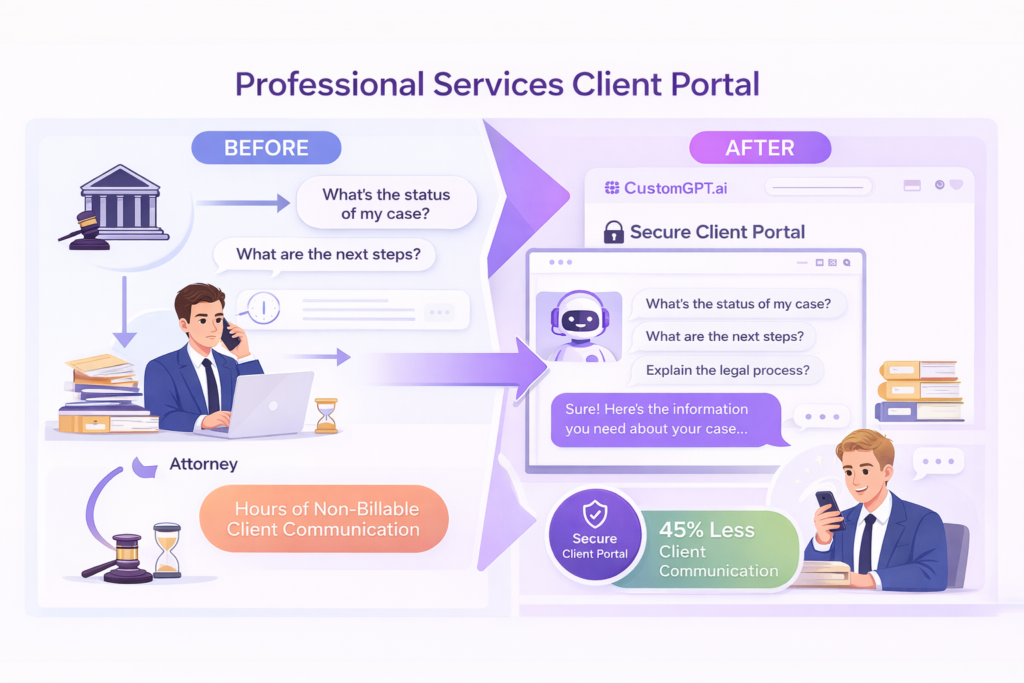
Use Case 5: Professional Services Client Portal
Before: A law firm spent significant billable hours answering basic client questions about case status, next steps, and general legal processes—information that didn’t require attorney expertise but clients didn’t know where to find.
After: Deployed CustomGPT trained on case process documents, FAQs, and general legal information, available in their secure client portal.
Result: Reduced non-billable client communication by 45%, improved client experience (instant answers vs. waiting for callbacks), and freed attorneys to focus on actual legal work.
Pricing & Plans: What CustomGPT Actually Costs
CustomGPT offers tiered pricing designed to scale with your business needs. While exact pricing may vary (they occasionally update plans), here’s the general structure:
Free Trial
CustomGPT offers a trial period so you can test the platform risk-free before committing. This lets you upload your data, build a chatbot, and see real performance before spending a dime.
Standard Plan (Approximately $89-$149/month)
- Ideal for: Small businesses, solopreneurs, creators
- Includes: Limited queries per month, basic integrations, standard support
- Best for: Testing the waters or low-volume usage
Premium Plan (Approximately $299-$499/month)
- Ideal for: Growing businesses, agencies, mid-sized companies
- Includes: Higher query limits, advanced integrations, priority support, multiple chatbots
- Best for: Businesses with moderate to high customer interaction volume
Enterprise Plan (Custom pricing)
- Ideal for: Large organizations, enterprises with compliance needs
- Includes: Unlimited queries, white-label options, dedicated support, custom security configurations, SLA guarantees
- Best for: Organizations requiring maximum scalability, security, and customization
Which Plan Should You Choose?
- Start with Standard if you’re a small team testing AI support for the first time
- Go Premium if you’re already handling 50+ daily support interactions
- Consider Enterprise if you need HIPAA compliance, SOC 2 certification, or white-label capabilities
Pro tip: Most businesses find that even the Premium plan pays for itself within the first month through support time savings alone.
Want to see which plan fits your needs? Explore CustomGPT pricing options here and start with their free trial.
Pros & Cons: The Honest Breakdown
Let’s be real about what CustomGPT does exceptionally well and where it makes trade-offs.
PROS:
1. Zero Coding Required
You don’t need developers, AI specialists, or technical expertise. If you can upload a file, you can build a sophisticated AI assistant.
2. Truly Understands Your Business
Unlike generic chatbots with scripted responses, CustomGPT learns your specific content and can handle nuanced, domain-specific questions.
3. Source Citations Build Trust
Every answer includes references to the original documents, which dramatically increases customer confidence and reduces liability concerns.
4. Scales Infinitely
Handle 10 conversations or 10,000 simultaneously—the performance doesn’t degrade, and you don’t pay per conversation.
5. Continuous Learning and Improvement
The system gets smarter as it processes more queries and you refine the training data based on analytics insights.
6. Multi-Language Without Multi-Effort
Serve global customers in their native languages without creating separate documentation or hiring multilingual staff.
7. Flexible Integration Options
Works as a website widget, can be embedded in apps, integrates with popular CRMs, and even works via API for custom implementations.
8. Strong Security and Privacy Controls
Enterprise-grade security, data encryption, and compliance options ensure your sensitive information stays protected.
CONS:
1. Requires Quality Source Material
Because CustomGPT focuses on delivering accurate answers based on your actual documentation, businesses with minimal or poorly organized content will need to build out their knowledge base first. (This is actually a blessing in disguise—it forces you to document your processes properly, which benefits your entire organization.)
2. Learning Curve for Optimization
While basic setup is simple, getting the most out of CustomGPT—refining responses, adjusting personality, optimizing for specific use cases—takes some experimentation and iteration. (This trade-off exists because the platform is powerful enough to be highly customizable rather than a one-size-fits-all solution.)
3. Cost May Be High for Micro-Businesses
If you’re a solo entrepreneur with minimal customer volume, the monthly cost might feel significant compared to doing everything manually. (However, this reflects the enterprise-grade technology you’re accessing—the same AI infrastructure that would cost hundreds of thousands to build from scratch.)
CustomGPT vs Alternatives: How Does It Stack Up?
You’re probably comparing options, so let’s be honest about how CustomGPT differs from popular alternatives.
CustomGPT vs Chatbase
Chatbase is another AI chatbot builder with similar capabilities.
CustomGPT is better when: You need more robust citation features, enterprise security options, or advanced customization. CustomGPT typically offers more transparent sourcing and better context handling for complex documentation.
Chatbase might be better when: You’re on a tighter budget and need only basic chatbot functionality without deep customization needs.
CustomGPT vs Intercom AI
Intercom is a full customer communication platform with AI features built in.
CustomGPT is better when: You want best-in-class AI conversation focused specifically on your documentation, without paying for a full CRM/help desk suite you might not need. CustomGPT’s training capabilities are typically more flexible.
Intercom might be better when: You need an all-in-one solution combining live chat, ticketing, marketing automation, AND AI in a single platform.
The Bottom Line on Alternatives
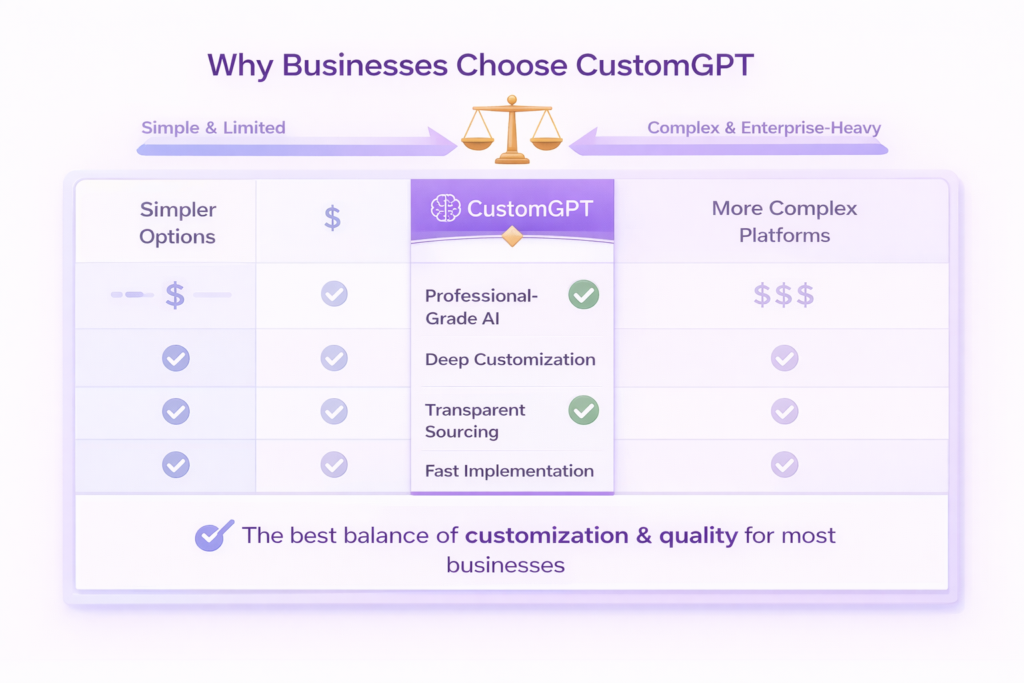
CustomGPT sits in the sweet spot for businesses that want:
- Professional-grade AI without developer requirements
- Deep customization without complexity
- Transparent sourcing and citations
- Fast implementation without sacrificing quality
If you need something simpler (and more limited), there are cheaper options. If you need something more complex (and enterprise-heavy), there are pricier platforms. CustomGPT delivers the best balance for most use cases.
How to Get Started with CustomGPT (Step-by-Step)
Ready to build your first AI assistant? Here’s exactly how to go from zero to live chatbot in under an hour:
Step 1: Sign Up and Access Your Dashboard
Visit CustomGPT’s official website and create your account. You’ll get instant access to the platform dashboard—no credit card required for the trial.
Step 2: Create Your First Project
Click “New Project” and give your chatbot a name (you can change this later). Choose whether it will be public-facing (for customers) or internal (for employees).
Step 3: Upload Your Training Data
This is where the magic happens. You have several options:
- Upload files directly: PDFs, Word docs, spreadsheets, text files
- Connect your website: Enter your sitemap URL and CustomGPT will crawl and learn from your entire site
- Integrate knowledge bases: Connect tools like Notion, Google Drive, or your help desk
- Paste text directly: For quick testing or smaller content pieces
Pro tip: Start with your most frequently asked questions and the documentation you currently send customers most often.
Step 4: Test and Refine
Once your data is uploaded (processing usually takes just minutes), start asking your chatbot questions. CustomGPT provides a testing interface where you can:
- Ask questions you expect customers to ask
- Review the answers and citations
- Identify gaps in your knowledge base
- Adjust the bot’s personality and tone
Step 5: Customize Appearance and Behavior
Configure your chatbot’s:
- Visual design: Colors, logo, chat widget appearance
- Personality: Formal, friendly, technical, casual—match your brand voice
- Behavior: When to escalate to human support, how to collect leads, what disclaimers to include
Step 6: Deploy Your Chatbot
CustomGPT provides simple embed codes you can add to your website in seconds (works with WordPress, Shopify, Wix, custom sites—basically anything). You can also:
- Share via direct link
- Integrate with Slack or Microsoft Teams
- Deploy via API for custom applications
Step 7: Monitor and Optimize
Check your analytics dashboard regularly to see:
- Most common questions
- Answer success rate
- Topics where users need more information
- Conversation patterns and trends
Use these insights to continuously improve your knowledge base and bot performance.
Getting stuck? CustomGPT offers documentation, video tutorials, and responsive support to help you succeed.
Start building your first AI assistant today: Get started with CustomGPT here
Final Verdict: Is CustomGPT Worth It?
After extensive testing and real-world observation, here’s my honest conclusion:
CustomGPT is absolutely worth it if:
- You field repetitive questions that your documentation already answers
- You want to provide 24/7 support without proportionally increasing costs
- Your team spends significant time on routine customer inquiries
- You value customer experience and response speed
- You have documentation, content, or knowledge that can be digitized
The ROI is compelling: Most businesses save 10-30+ hours per week in support time within the first month. At an average fully-loaded employee cost of $35-50/hour, that’s $1,400-6,000+ in monthly savings. Even the highest tier plan pays for itself multiple times over.
Beyond cost savings, the strategic value is enormous. Customers receive instant, accurate answers at their moment of need. Your team focuses on high-value work instead of answering the same questions repeatedly. You capture leads and insights you’d otherwise miss.
Who Gets Maximum Value:
- E-commerce businesses with extensive product catalogs
- SaaS companies with complex products requiring ongoing support
- Professional services dealing with frequent client questions
- Educational platforms serving students across time zones
- Growing startups that need enterprise capabilities without enterprise costs
Ready to Transform Your Customer Support? Here’s What to Do Next
You’ve learned what CustomGPT is, how it works, and why businesses across industries are adopting it. Now it’s decision time.
Here’s my recommendation:
Don’t overthink it. Take advantage of the free trial and build your first chatbot this week. Upload your FAQ documentation, product pages, or knowledge base. Test it. Ask the questions your customers typically ask. See how it performs with your actual data.
You’ll know within an hour whether this is the solution you’ve been looking for.
The cost of trying? Zero.
The cost of waiting while competitors offer better customer experiences? Potentially massive.
👉 Take Action Now:
Start your CustomGPT free trial here and see firsthand how AI-powered support can transform your business.
No credit card required. No complex setup. Just smart AI trained on your data, ready to help your customers 24/7.
The future of customer support isn’t coming—it’s already here. The only question is whether you’ll join it today or explain to customers tomorrow why your competitors offer better experiences.
Frequently Asked Questions About CustomGPT
1. Do I need coding skills to use CustomGPT?
No, absolutely not. CustomGPT is built for non-technical users. The entire process—from uploading documents to customizing your chatbot to deploying it on your website—uses a visual, point-and-click interface. If you can upload a file and copy-paste an embed code, you have all the technical skills required.
2. How accurate are the chatbot responses?
CustomGPT’s accuracy depends on the quality and completeness of your training data. When trained on comprehensive, well-organized documentation, the AI typically provides accurate answers 85-95% of the time. Importantly, every answer includes citations showing exactly where the information came from, so users can verify accuracy themselves. For questions outside your knowledge base, you can configure the bot to escalate to human support.
3. Can CustomGPT work in multiple languages?
Yes, CustomGPT supports 95+ languages. You can upload your documentation in English, and the bot can understand questions and respond in Spanish, French, German, Japanese, and dozens of other languages automatically. This makes it perfect for businesses serving international customers without needing to create separate documentation for each language.
4. What happens when the chatbot doesn’t know an answer?
You have full control over how CustomGPT handles uncertain situations. Common options include: admitting uncertainty and escalating to human support, providing the closest related information with a disclaimer, or collecting the user’s contact information for follow-up. The analytics dashboard shows you which questions the bot struggled with, helping you identify content gaps.
5. Is my data secure with CustomGPT?
Yes, CustomGPT implements enterprise-grade security measures including data encryption (both in transit and at rest), secure data storage, and compliance with major privacy regulations. Enterprise plans offer additional security features like SSO, custom data retention policies, and compliance certifications (SOC 2, GDPR, etc.). Your training data remains private and is never shared with other customers or used to train public AI models.
6. Can I integrate CustomGPT with my existing tools?
Yes, CustomGPT offers integrations with popular platforms including Salesforce, HubSpot, Zendesk, Slack, Microsoft Teams, Zapier, and others. You can also access the full API for custom integrations. This allows your chatbot to connect with your CRM, help desk, marketing automation, and other tools you already use.
7. How long does it take to set up and deploy a CustomGPT chatbot?
Basic setup can be completed in under an hour. Uploading documents and initial training typically takes 10-30 minutes depending on data volume. Customization (appearance, personality, etc.) takes another 15-30 minutes. However, optimization is an ongoing process—you’ll likely refine and improve your chatbot over the first few weeks based on real conversation data and analytics.


Leave a Reply to no deposit free spins Cancel reply